Category: SYW 101

  • How to Redeem Shop Your Way Points: A Guide for Maximizing Big Rewards 2024

    How to Redeem Shop Your Way Points: A Guide for Maximizing Big Rewards 2024

    Redeeming Shop Your Way points is the rewarding finale to your savvy shopping journey. These versatile points, earned through everyday purchases at Sears, partner stores, and even non-shopping partners like Uber, offer a range of redemption options. From gift cards and product discounts, understanding how to maximize your point value is key to unlocking the full potential of the Shop Your Way program. Whether you’re a seasoned point collector or new to the system, mastering the art of redemption involves regular balance checks, strategic choices, and knowing how to navigate common issues. Let’s explore how to redeem Shop Your Way points into tangible rewards, ensuring you get the most value from your shopping experiences.

    Key Takeaways

    • Earn Points on Everyday Purchases: Shop Your Way points accumulate through purchases at Sears, partner stores, and non-shopping partners like Uber.
    • Redeem Points for Various Rewards: Points can be redeemed for gift cards or product discounts. Using the gift cards option via the Shop Your Way app or website often provides the best value.
    • Maximize Redemption Value: Understand the different point types (fixed-value, variable value, transferable) and strategically redeem points through various methods to get the most out of your rewards.
    • Monitor Point Balance: Regularly check your point balance via the Shop Your Way website or app to stay informed about your available rewards and make timely redemptions.
    • Troubleshooting Common Issues: Address common issues like points not showing, login problems, and account verification by contacting Shop Your Way support. Keeping your account details up-to-date ensures a smooth redemption process.

    Understanding Shop Your Way Points

    What Are Shop Your Way Points?

    Shop Your Way Points are earned through purchases at Sears and affiliated merchants. Members can redeem these points for various rewards, including gift cards, and product discounts. With each purchase, shoppers accumulate points that increase the potential for future savings.

    How to Redeem Shop Your Way Points

    Earn Shop Your Way Points through several methods, encouraging diverse shopping habits. Here are key ways to accumulate points:

    1. Purchases at Sears and Partner Stores: Customers earn points with every purchase at Sears and participating partners.
    2. Uber Partnership: Riders earning points for each Uber ride provide another option for non-shopping-related earnings.
    3. Concurrent Promotions and Random Giveaways: Occasional promotions and giveaways offer extra points, aiding faster accumulation.

    For more detailed information on earning points, visit the official Shop Your Way Rewards website.

    Woman wearing purple shirt holding smartphone white sitting on chair. amazon gift card deals
    Photo by Andrea Piacquadio on Pexels

    Maximizing Your Shop Your Way Points

    Best Practices for Point Redemption

    Redeem Points on Gift Cards: Exchange points for gift cards from major brands like Amazon and Apple. The “Search Giftcards” bar on the Shop Your Way app simplifies this process. Gift cards often provide more value than direct purchases, making them a smart option.

    Understand Point Types: Knowing the differences between fixed-value, variable value, and transferable points helps in optimizing redemptions. Fixed-value points have a set worth, often seen in specific gift card brands. Variable value points fluctuate based on demand and availability. Transferable points can be moved between programs for flexibility.

    Know Award Pricing: When redeeming for travel, understanding how airlines and hotels price their awards prevents overpaying in points. Use resources like The Points Guy for current award charts and redemption values.

    Use Multiple Redemption Methods: Diverse methods assure the best value. Use the Shop Your Way website, mobile app, or third-party portals for redemption. Call centers and award-booking services can assist with complex or high-value redemptions.

    Tips for Earning More Points

    Participate in Promotions: Regularly check the Shop Your Way app and email alerts for promotions. Partners like Spotify and Grub Hub frequently offer bonus points for specific actions or purchases.

    20% Back in Points at 1-800-Flowers.com: Redeem points at partnered merchants like 1-800-Flowers.com to receive 20% back in Shop Your Way points. This effectively increases the value of your expenditures.

    Accumulate Points on Non-Shopping Activities: Programs like Uber partner with Shop Your Way for earnings on rides. Engaging in these activities enhances point accumulation without additional shopping expenditures.

    Strategically managing and redeeming points through the Shop Your Way ecosystem ensures maximum value and benefits for US-based savvy shoppers.

    Step-by-Step Guide to Redeeming Your Points

    Checking Your Point Balance

    To begin, sign in to your Shop Your Way account:

    1. Log in: Visit the Shop Your Way website and sign in using your email address and password.
    2. View point balance: Once logged in, locate your point balance display on the dashboard.

    Methods to Redeem Points

    There are several methods to redeem your Shop Your Way Points:

    • Gift Cards:
    • Search Giftcards bar: Use the search function on the website to find various gift cards from top brands like Amazon, Visa, Walmart, Dunkin Donuts, and Lowes.
    • Mobile app: Alternatively, use the Shop Your Way app available on the Google Play Store or the Apple App Store to redeem points for gift cards directly from your mobile device.
    • In-Store Redemption:
    • Shop Your Way Partners: Redeem points in-store with partners like Sears and Kmart. Present your membership details at checkout.
    • PIN and Security: Ensure you have your PIN ready for secure transactions.
    • Online Redemption:
    • Checkout Integration: Use your points directly during the online checkout process with participating merchants. Look for the option to apply points on the payment page.
    Wallet with coins banknotes and credit card for payment
    Photo by Monstera Production on Pexels

    Potential Issues and Solutions

    Common Redemption Problems

    1. Points Not Showing: Points might not display in the account. To resolve this, users should contact Shop Your Way support to merge their accounts and rectify discrepancies. This step resolves missing points issues efficiently.
    2. Login Issues: Difficulty logging in can hinder points redemption. Users should first attempt resetting their password. If problems persist, contacting support provides necessary assistance.
    3. Contacting Support: If points are missing, logging in is problematic, or other issues arise, reaching out to Shop Your Way support is crucial. They offer solutions and ensure account concerns are addressed promptly.
    4. Account Verification: Ensure all account details, including email address, are accurate. This prevents potential issues during redemption. Updating information through the Shop Your Way app or website keeps the account in good standing.
    5. Following Instructions: Adherence to specific redemption instructions for chosen rewards, including entering codes or completing verification, ensures seamless point usage and reward acquisition.

    By addressing common problems and following resolution tips, users can maximize their Shop Your Way benefits and enhance their online shopping experience. For more information on managing rewards efficiently, refer to Help Center on the Shop Your Way website.

    Frequently Asked Questions

    What are the Shop Your Way points?

    Shop Your Way points are a loyalty reward currency that can be earned and redeemed for various rewards, such as gift cards, discounts, and more, through the Shop Your Way program.

    How do I redeem Shop Your Way points?

    You can redeem your Shop Your Way points at checkout both instore and online. Simply select the amount of points you want to use, and their value will be deducted from your total purchase.

    Why are my Shop Your Way points not showing up?

    Points may not show up immediately due to processing times or technical issues. Make sure your purchase met the necessary criteria. If the points are still missing, contact Shop Your Way customer support for assistance.

    What should I do if I have trouble logging into my Shop Your Way account?

    If you encounter login issues, try resetting your password or checking your internet connection. If the problem persists, contact Shop Your Way customer support for further help.

    How do I verify my Shop Your Way account?

    To verify your Shop Your Way account, follow the instructions sent to your registered email address. This may involve clicking a verification link or entering a code. This step ensures the security of your account.

    Do Shop Your Way points expire?

    Yes, Shop Your Way points can expire. The expiration terms vary, so be sure to check the specific terms and conditions on the Shop Your Way website or contact support for detailed information.

    How many Shop Your Way points equal one dollar?

    Typically, 1,000 Shop Your Way points are equal to $1. You can use these points for purchases through SYW.com/giftcards or with partners like Sears and Kmart. Always check for any changes in conversion rates.

    Can I combine Shop Your Way points with other discounts or promotions?

    Yes, you can often combine your Shop Your Way points with other discounts or promotions. Make sure to review the specific terms and conditions of the offer to understand any exclusions or limits.

    How do I contact Shop Your Way customer support?

    You can contact Shop Your Way customer support through their website at shopyourway.com/contact or by calling their customer service number provided on the site. Support is available for assistance with earning, redeeming, and account issues.

    Conclusion

    Redeeming Shop Your Way points can significantly enhance the shopping experience by offering valuable rewards and discounts. While issues may arise during the redemption process, such as points not appearing or login difficulties, contacting support and following the provided instructions can help resolve these problems. By effectively managing their points, shoppers can enjoy the full benefits of the Shop Your Way program, making their online shopping more rewarding and enjoyable.

  • Coupons: Revolutionizing Your Savings Strategy 2024

    Coupons: Revolutionizing Your Savings Strategy 2024

    Did you know that coupons users collectively save billions of dollars each year? It’s not just about the cents and dollars saved; it’s about the thrill of outsmarting inflated prices and maximizing your purchasing power.

    Welcome to the future of frugality – let’s embark on this savings journey together!

    Introduction

    Welcome to the ultimate destination for savvy shoppers – our brand-new Coupon Center! We’re thrilled to introduce a game-changing platform designed to elevate your shopping experience and maximize your savings potential.

    Say goodbye to scouring the web for deals and hello to effortless, one-stop couponing. Let’s dive into what makes our Coupon Center a must-have tool for every budget-conscious consumer.

    What Are Coupons?

    Coupons are more than just slips of paper or digital codes – they’re your ticket to unlocking unbeatable savings on a wide range of products and services.

    Understanding the basics of coupons is crucial for mastering the art of smart shopping. Whether you prefer online shopping or browsing the aisles of your favorite stores, coupons come in various forms to suit your needs.

    From percentage discounts to BOGO offers, coupons offer endless opportunities to score great deals. And with the evolution of couponing, accessing and redeeming coupons has never been easier.

    Fun Fact

    In 2022, 91% of all Americans used at least one coupon; 177.9 million U.S. adults redeemed digital coupons. 86% of online shoppers are more likely to try a new business due to a coupon; 39% are much more likely.

    Why Should You Care About Coupons?

    If you’re still skeptical about the value of coupons, it’s time to reconsider. Coupons are more than just a means to save a few bucks – they’re powerful tools for maximizing your purchasing power and stretching your budget further.

    Whether you’re looking to save on everyday essentials or splurge on luxury items, coupons offer a practical and effective way to make your money go further. Plus, with budget-friendly shopping made easy, you can enjoy guilt-free spending without breaking the bank.

    Fun Fact

    Studies in 2023 found that the average American could save $122 per month, or $1,465 per year, just by using online and mobile coupon codes.

    They also found the top categories for potential savings were food and household items. Personal care items offered the highest percentage of savings, with a discount of 19.4% on average.

    The Value of Coupons

    The value of coupons goes beyond the immediate savings they provide. Coupons enable you to stretch your dollar further and make the most of your shopping budget. But maximizing discounts requires more than just clipping coupons – it requires strategy and savvy shopping tactics.

    From stacking coupons to timing your purchases strategically, there are countless ways to amplify your savings potential. And with real-life examples of significant savings, you’ll be inspired to take your couponing game to the next level.

    A Brief History of Coupons

    To appreciate the impact of coupons on modern-day shopping, it’s essential to understand their fascinating history. From handwritten vouchers in the late 19th century to digital discounts in the digital age, coupons have undergone significant transformations over the years.

    Along the way, coupons have played a crucial role in shaping consumer behavior and driving sales for businesses across various industries. And as milestones in couponing history continue to shape the way we shop, it’s clear that the influence of coupons on consumer behavior is here to stay.

    How to Make the Most of Coupons

    Ready to become a couponing pro? Mastering the art of couponing requires more than just collecting coupons – it requires strategy and finesse. Start by strategizing your shopping spree and identifying your shopping priorities.

    Then, leverage technology to streamline your couponing experience and maximize your savings potential. And don’t forget about couponing etiquette – always respect the terms and conditions of coupons and be mindful of others who share the same savings goals.

    Conclusion

    As we conclude our journey through the world of couponing, we invite you to join us on the path to frugal living. With our Coupon Center at your fingertips, the possibilities are endless. Whether you’re a seasoned couponer or just getting started, there’s never been a better time to embrace the future of smart shopping.

    So why wait? Join us on the savings journey and unlock a world of unbeatable deals and endless savings opportunities. Happy couponing!


    Get started discovering the new Shop Your Way coupon center today!

  • How to Use a Walmart Gift Card Online?

    How to Use a Walmart Gift Card Online?

    Looking for an easy and convenient way to shop online at Walmart? Walmart gift cards are the perfect solution! With a Walmart gift card, you can seamlessly shop for thousands of items on Walmart.com without needing a credit or debit card.

    But how how to use a Walmart gift card online for shopping? This comprehensive guide will walk you through everything you need to know. 

    We’ll start from the basics like what is a Walmart gift card and how to buy one, to a step-by-step tutorial for redeeming your gift card balance on Walmart.com. 

    You’ll also learn useful tips and tricks to avoid potential hiccups when using your Walmart gift card online. Whether you received it as a gift or bought it for yourself, this guide will ensure you can spend your Walmart gift card online quickly and hassle-free. 

    Source: https://chainstoreage.com/walmart-joins-digital-promotion-platform-groceries

    So read on to unlock the full potential of your Walmart gift card for online shopping!

    Where to Buy Walmart Gift Cards Online and Offline

    Walmart gift cards can be purchased from multiple sources, both online and offline. The most convenient option is to buy directly from the Walmart website. 

    On Walmart.com, you can purchase both physical and eGift cards in various denominations ranging from $25 to $500. The eGift cards are delivered instantly to your email after purchase.

    You can also easily buy Walmart gift cards at any Walmart retail store near you. Simply head to the gift card aisle and pick up a physical gift card in the desired amount. Walmart gift cards are also available at most major retailers that sell gift cards including Target, Kroger, Costco, Best Buy and more. 

    The denominations and designs may vary slightly from the official Walmart gift cards.

    Finally, you can purchase Walmart gift cards from third party gift card websites like GiftCardGranny or Raise. These sites often sell official Walmart gift cards at discounted rates. However, ensure the gift card seller is reputable before making a purchase. 

    Checking customer reviews can help avoid potential gift card scams.

    How to Activate and Check Balance of Walmart Gift Cards

    For security reasons, Walmart gift cards worth over $250 need to be activated before use. The good news is that activation is quick and easy through multiple methods. 

    You can activate online, by calling the toll-free number, or in-person at a Walmart store.

    To activate online, simply visit the Walmart gift card activation website, enter the gift card number and PIN, and follow the verification process. Alternatively, you can call 1-800-411-7942 and speak to a customer service agent to activate over the phone. 

    Finally, just visit any Walmart store with your gift card, and the staff at the customer service desk can instantly activate it for you.

    Checking your Walmart gift card balance is also simple. You can check online, using the Walmart mobile app, by calling the toll-free number, or by asking an in-store employee to scan your card on a register. 

    Before shopping with your gift card, remember to always check the balance to ensure you have sufficient funds.

    Step-by-Step Guide to Use Walmart Gift Card on Walmart.com

    Source: https://unsplash.com/photos/ivfp_yxZuYQ


    Using your Walmart gift card on Walmart.com is very simple. First, make sure to create a Walmart.com account if you don’t have one already. This allows you to securely store your gift card on the website for quicker checkout.

    Once you have an account, visit the “My Account” section and find the “Gift Cards” tab. Here you can enter your gift card number and PIN to add the funds to your account. The gift card balance will now be visible on your account.

    When you’re ready to use the gift card for an online purchase, simply add items to your cart as usual. At checkout, select “Gift Card” as the payment option. 

    The available gift card balance will automatically be shown and deducted from your order total. Enter any remaining amount on a debit/credit card.

    The entire gift card balance can be used in one transaction, or you can save a portion of it for future purchases. Just repeat the same steps above to apply your gift card funds during online checkout. It’s quick and easy and your gift card is now ready to enjoy!

    Troubleshooting Tips for Rejected Gift Cards

    In rare instances, you may face issues while attempting to use your Walmart gift card online. Don’t worry – there are a few troubleshooting tips to get your gift card working for online purchases.

    First, contact Walmart customer service at 1-888-537-5503. Explain that you are unable to use the gift card online. The agent can help troubleshoot and identify any activation or balance issues.

    You should also double-check that your gift card meets the requirements for online use. Verify the card is activated, the balance is sufficient and has not expired, and you are entering the correct 16-digit card number and PIN.

    Trying to use the gift card in-store is another shortcut. Physical gift cards can often be processed at the register even if facing issues online. 

    Just head to any Walmart store and attempt to make a small purchase with the card.

    With some simple troubleshooting, you should be able to uncover and resolve the reason your Walmart gift card is being rejected online. 

    Customer service and in-store usage are handy backup options as well.

    Using Walmart Gift Cards for Grocery Pickup/Delivery

    Walmart offers convenient grocery pickup and delivery options that allow you to seamlessly use your Walmart gift cards to pay. After browsing groceries online and adding items to your cart, simply select the Walmart gift card you have loaded under the “Payment Method” section.

    The gift card balance will be deducted from the total order cost like any other payment type.

    This provides a contactless way to grab your groceries using your Walmart credits. The gift cards can also be used for Walmart InHome Delivery, where an associate brings groceries directly into your kitchen or garage fridge.

    So next time you need to stock up on essentials, skip the checkout lines by ordering online and paying with your Walmart gift card for quick grocery pickup or delivery in the USA.

    Purchasing Walmart Gift Cards at a Discount

    Source: https://www.businessinsider.com/walmart-kills-grocery-app-to-make-online-shopping-easier-2020-5

    Walmart gift cards can sometimes be purchased below face value through third-party discount sites like Raise or PayPal Gifts. These sites acquire gift cards and resell them to consumers at lowered prices.

    The savings can range from 1-10% off the Walmart gift card value.

    Before buying, always verify the gift card barcode, expiry date, and full balance. Also, ensure the discount gift card seller has strong protections like PayPal’s Buyer Protection program.

    While not hugely discounted, buying Walmart gift cards for even 5-10% off can add up over multiple purchases. It’s an easy way to maximize your savings when shopping online with Walmart.

    The discounted gift cards still function like any other Walmart gift card, usable for purchases on Walmart.com or in-store. One can even buy a discounted eGift card to be delivered instantly by email.

    Just be aware of limitations like no ATM access or cash back when purchasing and using gift cards bought at a percentage off.

    But for pure spending power, discounted Walmart gift cards can stretch your budget further.

    Other Important Details on Walmart Gift Cards

    There are some key details to keep in mind when using Walmart gift cards that will ensure a smooth experience:

    • No Fees or Expiration – Walmart gift cards do not have any purchase fees or expiration dates. The full balance can be used for as long as you have funds available.
    • Combine Balances – If you have multiple Walmart gift cards, you can easily combine the balances by adding all of them to your Walmart.com account. This consolidates the amounts for simpler tracking.
    • Lost/Stolen Cards – Unfortunately lost or stolen gift cards cannot be replaced. To safeguard your balance, register your gift card on Walmart.com and keep the number secure.
    • Usage Limitations – While Walmart gift cards function similarly to debit cards, there are some limitations. You cannot withdraw cash or use it at ATMs. Also, no cashback with a gift card purchase.

    Being aware of these gift card nuances will allow you to maximize the value and avoid potential surprises when redeeming your card online.

    Tips for Hassle-Free Online Redemption

    Follow these tips and best practices for seamlessly using your Walmart gift card online:

    • Check Balance Frequently – Before every online checkout, log into your Walmart.com account to verify your up-to-date balance. This avoids order declines mid-checkout.
    • Add to Walmart Account – Registering your gift card on your Walmart account speeds up checkout and gives balance visibility.
    • Split Payment – If your gift card balance can’t cover the full order total, you can easily split it into two payment types during online checkout.
    • Security Best Practices – Treat your gift card like a debit card and keep the number and PIN safe. Avoid public WiFi for purchases.
    • Use Expedited Shipping – To ensure delivery before a gift card expires, choose quick shipping like NextDay or 2-Day.

    Following these handy tips will prevent gift card surprises and make online redemption smooth sailing!

    How to Use Walmart Gift Cards Online FAQs

    Source: https://unsplash.com/photos/8vgsOVj0OfM

    How do I use a gift card on the Walmart app?

    On the Walmart app, go to ‘Account’ > ‘Walmart MoneyCard & Gift Cards’ > ‘Gift Cards’ and enter your gift card number and PIN to add it to your account. You can then select it as a payment method during checkout.

    How do Walmart gift cards work?

    Walmart gift cards operate as prepaid store credit that can be used to purchase items online or in-store at Walmart and Sam’s Club. The balance is deducted as you use the card.

    How do I activate my Walmart gift card online?

    Visit Walmart.com/activate, enter your gift card number and PIN, and follow the verification process to activate your gift card online before using it.

    Why can’t I use my Walmart gift card online?

    Common reasons are an expired gift card, insufficient balance, not being activated first for amounts over $250, or entering incorrect card details.

    Does a Walmart gift card need to be activated?

    Walmart gift cards under $250 can be used right away. Those $250 and over must be activated online, by phone, or in-store before first use.

    Using Walmart Gift Cards In-Store vs Online

    The process for using a Walmart gift card is quite similar whether you are shopping in-store or online. At an in-store checkout, you simply hand your gift card to the cashier for them to swipe or enter the number. 

    Online, you enter the gift card details yourself during the checkout process.

    Both payment methods, including Cash App and the new gift card, deduct the amount from your total purchase price. Any remainder can be addressed using another payment method or left on the card.

    One advantage of using the new gift card online is that you can effortlessly split the payment between multiple sources, offering flexible payment options.

    For example, you can apply $25 of your gift card and pay the remaining balance with a credit card.

    In-store you would need to ask the cashier to process two transactions to achieve the same split payment flexibility. Online checkout through Walmart.com also allows you to store your gift card on your account for even faster and simpler payments.

    So while the gift card redemption process is very similar, the online Walmart shopping experience offers added convenience through flexible payment options like plastic gift cards and the ability to save your details for future use.

    This makes Walmart eGift cards extremely seamless to use for self-checkout when shopping on Walmart.com.

    The self-checkout process allows you to easily apply your Walmart eGift card balance to your purchase and check out without waiting in line.

    Key Takeaways: How to use a Walmart Gift Card Online? 

    And there you have it – everything you need to know to shop like a pro with Walmart gift cards online! As we’ve covered, Walmart gift cards offer a super convenient way to seamlessly purchase your favorite items on Walmart.com.

    Now that you’re armed with tips on where to buy the cards, how to activate and check balances, and step-by-step instructions to redeem online, you can shop to your heart’s content without ever pulling out a credit card. 

    Get started redeeming points via the Shop Your Way App today.

    With the integration of major platforms like Amazon, Apple, and Mastercard, the ability to conveniently split payments has been enhanced. 

    By storing your card information, including gift cards, on your Walmart account, the entire shopping experience is now quicker and more streamlined than ever.

  • How to Apply Walmart Gift Card to Paypal

    How to Apply Walmart Gift Card to Paypal

    Converting a Walmart gift card to PayPal can seem like navigating through a maze.

    Many folks come up against an obstacle when attempting to maximize the potential of their Walmart gift cards– transferring that balance into their PayPal account.

    Moving that Walmart gift card balance into your PayPal account.

    This task may feel daunting for some. It’s what separates those who are stuck with limited use of their gift cards from those who unlock its full potential by converting it to PayPal.

    Yes folks, this process isn’t always straightforward.

    I’ve heard stories about individuals struggling with unsuccessful attempts at conversion and feeling frustrated as they’re unable to utilize their funds freely.

    No wonder there’s hesitation!

    But let me tell you something…

    If you don’t learn how to convert your Walmart gift card into Paypal,, you might never fully maximize the value of your gifts or rewards.

    How to Add a Walmart Gift Card to PayPal

    If you’ve got a Walmart gift card, adding it to your PayPal account can open up new possibilities for spending.

    It’s a breeze to do this.

    • Create or log into your Paypal account: If you don’t have one, sign up on the PayPal website.
    • Add New Payment Method: Navigate through “Wallet”, then select “+ Link Cards”. Choose “Link A Debit Or Credit Card.”
    • Enter Details: Type in the 16-digit number found on your Walmart gift card. Don’t forget about the expiration date and CVV code too. Remember, treat this like any other debit or credit cards linking process.

    You’re now all set.

    Your balance from that nifty little plastic can be used anywhere accepting Paypal as payment mode – online stores, restaurants…you name it.

    How To Transfer Money from Your Wallet

    The advent of the digital age has enabled us to quickly and easily transfer money without being limited by physical wallets or bank lines.

    No longer are we bound by physical wallets and bank queues.

    Linking and transferring funds between Paypal, Venmo, or Cash App

    Venmo, PayPal’s social payment platform, allows you to send cash in a flash directly from your phone.

    If that doesn’t suit your fancy, there’s always the Cash App.

    To link these services with PayPal requires only a few simple steps:

    • Login into your PayPal account.
    • Select “Wallet”.
    • Add either Venmo or Cash app as an additional method for transactions.

    You’ll need to verify this new addition, but once done; voila. You’re all set.

    This seamless integration means you can move balances between them effortlessly. It gives you more flexibility when managing finances online – no matter where the money needs to go.

    The next section will dive deeper into understanding how gift cards provide versatility beyond their issuing store.

    The Versatility of A Gift Card

    Gift cards offer much more than a simple convenience for shoppers.

    Their versatility goes beyond the confines of a single store, providing savvy consumers with a plethora of options.

    These cards come in various forms, including Visa gift cards, PayPal gift cards, and Walmart eGift cards.

    Notably, they can be utilized at different retailers, such as Apple, enabling users to explore a wider range of products and services.

    When making an online purchase, customers can easily complete the checkout process by entering the necessary card information, including the gift card number.

    This hassle-free method simplifies transactions and allows individuals to enjoy the benefits of their gift cards across various platforms.

    online shopping
    Happy woman pointing on something on laptop screen while shopping on the internet with her husband at home.

    Various Places Accepting Retail-Based Prepaid Cards

    Retail-issued cards typically have usage restrictions limited to their specific chain or affiliated businesses.

    It’s important to check beforehand to ensure compatibility.

    Nevertheless, these cards generally provide more flexibility as they are often supported by major credit networks like Visa.

    This means they can be used at any establishment that accepts such payment methods.

    However, it’s crucial to remember that each type of card—whether retail-issued or otherwise—comes with its own advantages and disadvantages.

    Therefore, it’s essential to consider these factors carefully before making any purchasing decisions.

    When using retail-issued cards, you may need to provide the card number during the transaction.

    Alternatively, if you have a PayPal account, you can utilize your PayPal balance to make payments or even add money to your account.

    Additionally, if you’re an Android user, you can conveniently manage your payment options and make purchases using compatible apps.

    Gift Card Voucher Coupon Graphic Concept
    Gift Card Voucher Coupon

    Limitations Associated with Specific Types Of Prepaid Cards

    Prepaid gift cards issued by retailers often come with restrictions that limit their usage to within their own chain or affiliated businesses.

    It is crucial to check the terms and conditions beforehand to avoid any inconvenience.

    However, these cards generally offer greater flexibility as they are typically backed by major credit networks such as Visa.

    This means they can be used wherever Visa payments are accepted, providing a wide range of options for purchases.

    It is important to remember that each type of gift card, whether retail-issued or prepaid, has its own advantages and disadvantages.

    Considering these factors is essential before making any purchasing decisions to ensure a satisfactory experience.

    When using prepaid gift cards, it is essential to be cautious and aware of potential scams.

    It is important to only purchase gift cards from reputable sources to avoid falling victim to fraudulent activities.

    Additionally, gift cards can also be a convenient way to send money or make payments.

    For instance, Walmart stores offer a variety of gift cards, including digital options, which can be a convenient and secure way to send funds or make purchases.

    By understanding the features and limitations of different types of gift cards, individuals can make informed choices and maximize the benefits of these payment options.

    How To Transfer Money From PayPal To Your Bank Account

    Transferring money from your PayPal account to your bank account is a seamless process that provides you with convenient access to your funds.

    Use PayPal offers a straightforward and user-friendly interface that makes it easy to initiate transfers and manage your finances.

    To transfer money, simply log into your PayPal account and navigate to the “Wallet” section. From there, select the option to “Transfer Money” or “Withdraw Funds.”

    You will be prompted to link your bank account if you haven’t done so already. Once linked, you can choose the amount you wish to transfer and confirm the transaction.

    Method 1: Using Linked Debit/Credit/Gift Cards

    The first method involves using linked debit, credit, or gift cards.

    This option allows you to transfer money directly into the associated bank accounts in just a few clicks.

    Step1: To start this process, log into your Paypal account.

    Step 2: Navigate to ‘Wallet’ and select the card you wish to use for the transaction. Make sure that this card is already linked with your desired bank account. If not, follow prompts on screen for linking it properly before proceeding further.

    Step 3: Select ‘Transfer Funds’ and then choose where you want these transferred – either onto another prepaid/gift/debit/credit card OR directly within an existing checking/savings banking profile (if applicable).

    Step 4: Confirm details & hit send. Your balance should be moved over shortly depending upon individual processing times by banks involved.

    Method 2: Ordering An Official Paypal Debit Card

    The second way is by ordering an official PayPal debit card. This lets users withdraw cash straight from their online wallet via any ATM worldwide which accepts Mastercard transactions. 

    It’s as simple as applying for one right inside the same dashboard we discussed earlier – under ‘Products & Services’, find the tab labeled “PayPal Cash Card”.

    Follow instructions thereon till completion; once approved, expect delivery within a couple of weeks’ time frame. 

    Then activate immediately after receipt, so ready whenever need arises next.

    So whether you prefer digital transfers or the traditional route of accessing hard currency instead, options abound thanks to the flexible system provided here.

    Remember, though, whichever path you decide to take towards managing finances better, it’s always important to keep track of all movements to ensure no surprises later down the line, especially when it comes to fees you might incur during such processes. 

    Therefore, we recommend reading thoroughly the terms and conditions outlined on the respective pages prior to making final decisions.

    Online delivery banner

    Conclusion

    Transforming your Walmart gift card to PayPal has never been easier.

    We’ve explored the steps of adding it directly to your account, maximizing flexibility in spending.

    You learned about Sam’s Club as an alternative for redeeming these cards, online or in-store.

    We dove into transferring money from wallets like Venmo and Cash App via seamless linking with Paypal.

    The versatility of a gift card was highlighted – usable far beyond its issuing store but mindful of certain limitations.

    Finally, we looked at two main methods for moving funds out from Paypal into a bank account.

    If you’re ready to maximize rewards on every purchase and earn points that can be redeemed on brands you love, consider joining Shop Your Way.

    Here, we make earning rewards simple so you can spend them where it matters most – including converting those Walmart gift cards right over to PayPal! Start rewarding yourself today with Shop Your Way.

  • 3 Ways To Check Your Walmart Gift Card Balance Easily

    3 Ways To Check Your Walmart Gift Card Balance Easily

    Being a savvy shopper has its perks, and having accumulated sufficient Shop Your Way points through your smart shopping habits, you now have the ability to effortlessly convert these points into a Walmart gift card.

    The Walmart gift card you have in your wallet (or even in the kitchen cabinet) is actually worth something. But do you know its exact value? 

    Most of us aren’t great about keeping tabs on our Walmart gift card balance, but knowing how much you can save on your next purchase is easier than you might think. These tips will help you know your Walmart gift card balance so you can plan ahead before your next trip, get the best value possible from your purchases at affiliated stores, while also effectively budgeting and planning ahead.

    Before Starting:

    1. You will need two pieces of information from your gift card: the 16-digit number and the 4-digit Personal Identification Number (PIN).

    Front of Walmart Gift Card
    Back of the Walmart Gift Card

    2. Unfortunately, Walmart does not allow you to check your gift card balance in the Walmart App. Users must go to the desktop or mobile website to check their balance.

    1. Check Your Walmart Gift Card Balance Online

    If you’re near a computer or have your smartphone handy, one of the quickest ways to determine the amount of money left on your Walmart gift card is to check the balance online. 

    Step 1: Visit Walmart’s Gift Card Balance Page

    To get started, open your browser and navigate to Walmart’s gift card balance page. This webpage is specifically designed for customers like you who want to know their remaining funds before making any purchases.

    Step 2: Enter Your 16-Digit Gift Card Number and PIN

    The gift card number can be found on either the front or back of physical cards, while digital cards have them in emails sent upon purchase. 

    The PIN should be located at the back of physical cards under a scratch-off area or within emails for digital ones. 

    If there’s no PIN on your Walmart gift card, it cannot be used for online purchases or checking balances. You can visit any Walmart store and exchange your gift card for one with a PIN.

    Step 3: Click “Check Balance”

    Once you’ve entered both required details correctly, click on the “Check Balance” button. Within seconds, an updated figure representing how much money remains available will appear.

    Quick Tip: If you have the Walmart App you can easily apply your gift card to your account and use the gift card as a payment method on checkout.  

    3. Check Your Balance By Phone

    Checking your Walmart gift card balance by phone is another convenient option for those who are unable to connect to the internet. 

    Call the Toll-Free Number (1-888-537-5503)

    You can find out your Walmart Gift Card Balance in 5 steps: 

    Step 1: Call 1-888-537-5503 

    Step 2: Listen carefully to the automated system’s instructions. Press 1 for English. Press 2 for Spanish.

    Step 3: Press 1 for checking your gift card balance and transaction history.

    Step 4: Enter your 16-digit gift card number when prompted. Verify that you’ve typed the 16-digit code accurately before continuing on.

    Step 5: The automated system will then provide you with the current value of your Walmart gift card.

    4. Check Your Balance In-Store

    walmart customer service
    where in walmart to checkyour gift card balance

    If you live nearby or happen to be stopping in-store for groceries, you can do it in person on your next trip to Walmart.

    By checking your gift card balance in-store, you can ensure that you don’t miss any in-store specials, which could add up to extra savings.

    Step 1: Find your local store 

    To find the nearest Walmart location, use their Store Finder tool. Enter the zip code or city and state details into the search bar to quickly locate nearby Walmart stores. This makes it easy to locate a convenient store where you can inquire about your gift card balance.

    Step 2: Visit the customer service area 

    Once at the store, visit the customer service area and ask a helpful staff member to assist you with verifying your Walmart gift card balance. They’ll be able to assist by scanning your physical gift card or entering its 16-digit number into their system. Remember that if you have a digital gift card without a PIN, this method may be necessary since online checks require both numbers.

    Step 3: Make sure you have the correct information

    It’s always helpful to keep track of all transactions made using your Walmart Gift Card so that when seeking assistance from customer service representatives in-store they can verify previous purchases easily. If there are multiple cards associated with one account (e.g., family members sharing), make sure each person knows which specific card belongs to them to avoid confusion during inquiries at stores.

    Types of Walmart Gift Cards

    Understanding the different types of available cards can help ensure smooth transactions online or in-store at Walmart itself.

    There are two main categories: physical gift cards and digital cards. Both can be used online and in-store

    Physical Gift Cards

    The traditional, tangible form of gift-giving is still popular today with standard physical gift cards. These plastic cards come in a variety of designs to suit any occasion, from birthdays to holidays. Physical gift cards, with a PIN code, can be purchased from authorized vendors or at Walmart stores for use both online and in-store.

    Digital Gift Cards

    eGift cards offer an eco-friendly alternative that’s also convenient for last-minute shoppers. These virtual gift cards are sent via email and contain a unique card number along with a PIN code required for redemption. You can use them on Walmart’s website and in-store.

    To purchase a digital gift card, simply visit the Walmart eGift Card page. Choose your desired design, enter the recipient’s email address along with your personalized message, select an amount between $5 – $2000 (limits may vary), then proceed to checkout.

    With that being said, understanding usage restrictions and limitations is key when using your Walmart gift card; let’s explore these further.

    Where You Can Use Your Gift Card

    • Online: Shop on the official websites of Walmart or Sam’s Club stores by entering your 16-digit gift card number and PIN during checkout.
    • In-Store: Present your physical or digital Walmart Gift Card at any participating location within the U.S. and Puerto Rico.
    • Fuel Stations: Approved Murphy U.S fuel stations also accept these cards as payment; however, not all stations may participate in this program.

    Redeeming Funds at Affiliated Stores

    Make sure you’re getting the best deals possible when shopping with these partners:

    • Compare prices: Before making any purchase, take time to compare prices between different retailers within Sam’s Club or Murphy U.S fuel stations.
    • Leverage promotions: Keep an eye out for special offers like discounts or bonus rewards points from partner merchants; this way, you’ll get even more value from each transaction made using your Walmart gift card.
    • Earn Shop Your Way Rewards Points: Don’t forget to sign up for their free rewards program – Shop Your Way – which allows you to earn points on every purchase and redeem them for additional savings or products.

    FAQs on Checking Your Walmart Gift Card Balance

    What is the 800 number for Walmart gift card balance?

    Call the Toll-Free Number (1-888-537-5503)

    How do I check my Walmart gift card history online?

    Follow these steps to check your card history online.
    Creating an Online Walmart Account
    First off, you need an online account with Walmart. If you don’t already have one, you can sign up on their website. It’s a straightforward process, requiring only some basic information.
    Accessing the Gift Card History Feature
    Once logged in, navigate to the gift card section under your account settings. You’ll find an option to view your gift card history. Enter your card number and PIN, and you’re good to go.
    Interpreting Your Walmart Gift Card History
    You’ll be presented with a detailed list of transactions made with your card. Pay close attention to the date, amount, and location of each transaction.

    What to Do When Your Card History Doesn’t Display?

    If your card history isn’t displaying, try refreshing the page or logging in again. If the problem persists, contact Walmart’s customer service for assistance.

  • Introducing Shop Your Way Everywhere Chrome Extension: Save Time, Money, and Earn MORE Reward Points!

    Introducing Shop Your Way Everywhere Chrome Extension: Save Time, Money, and Earn MORE Reward Points!

    The new Shop Your Way Everywhere Chrome Extension is a powerful tool designed to help online shoppers save time, money, and even earn reward points. In this article, we will explore the incredible features of Shop Your Way Everywhere, which provides users with automatic coupons and an opportunity to redeem their earned points for a wide range of gift cards, including popular options like Amazon, e-Visa, Walmart, and many more. Let’s dive into the details and discover how Shop Your Way Everywhere can revolutionize your online shopping experience!

    Table of Contents

    How Shop Your Way Everywhere Works:

    The Shop Your Way Everywhere Chrome Extension functions as a smart assistant that assists users during their online shopping journey. Once installed, it seamlessly integrates into the browser and actively scans for available coupon codes and discounts while you shop. As you add items to your cart, Shop Your Way Everywhere automatically searches for valid coupon codes, ensuring you never miss a chance to save on your purchases.

    Benefits of Shop Your Way Everywhere:

    Shop Your Way Everywhere offers an array of benefits to its users, making it an indispensable tool for savvy shoppers. The key advantages include:

    1. Savings on Every Purchase:

    With Shop Your Way Everywhere, you can be confident that you are getting the best deal available. It effortlessly applies relevant coupons, helping you save money on each transaction.

    2. Earn Shop Your Way Rewards Points:

    Beyond monetary savings, Shop Your Way offers its members a unique rewards program. Shop Your Way members can earn points on everyday purchases like gas, groceries, dining, travel, and now across 15,000+ online sites. For every eligible purchase made through the extension, you will earn rewards points, which can be stacked with other member exclusive point offers too! 

    Earning Reward Points:

    Rewards points are an enticing feature of the Shop Your Way Everywhere Chrome Extension. As you use Shop Your Way, you will be surprised how fast you can accumulate Shop Your Way rewards points. The more you shop, the more points you earn!

    Redeeming Reward Points:

    As soon as you have earned Shop Your Way Rewards Points, you can start redeeming them for various gift cards, products, and services. The available choices are vast, ranging from popular online retailers to well-known restaurants, providing you with the flexibility to choose rewards that align with your preferences. A few of our most popular Member Insight: A few of the most favorite choices from our Members include Amazon, Walmart, Dunkin Donuts, and E-Visa gift cards! 

    Automatic Coupons:

    Say goodbye to the hassle of manually searching for coupon codes. The Shop Your Way Everywhere automatic coupon feature saves you time and effort, ensuring that you always get the best deals available without the need to leave the checkout page. Plus, it only takes a few seconds and one click to activate the coupon! 

    User-Friendly Interface:

    The Shop Your Way Everywhere Chrome Extension boasts a user-friendly interface, making it accessible to everyone, regardless of their tech-savviness. It’s simple and intuitive design allows users to maximize their savings effortlessly, following them everywhere they go. 

    Security and Privacy:

    Rest assured that your data and personal information are secure with Shop Your Way Everywhere. The extension follows strict privacy protocols, ensuring that your online shopping experience remains safe and protected at all times.

    Positive Customer Reviews:

    Don’t just take our word for it! Countless satisfied users have shared their positive experiences with Shop Your Way Everywhere, praising its efficiency in finding the best deals and earning reward points. Since 2017, we have served more than 88M Members who have earned and redeemed more than $1.2B USD in Shop Your Way Rewards Points! 

    Compatibility and Availability:

    The Shop Your Way Everywhere Chrome Extension is compatible with the Google Chrome browser, ensuring that a wide range of users can enjoy its benefits. It is also readily available for download and installation from the official Shop Your Way website and Chrome Extension Store. 

    Psst – A Shop Your Way Everywhere “Safari Browser Extension” is also coming your way soon!

    How to Install the Chrome Extension:

    Getting started with Shop Your Way is a breeze. Follow these simple steps to install the extension:

    • Visit Shop Your Way Everywhere to learn more before you download or visit the Chrome Extension Store to directly download. 
    • If you are searching in the Chrome Store, then simply type: “Shop Your Way Everywhere” and then click on “Install” or “Add to Chrome.” 
    • Once installed, the Shop Your Way Everywhere icon will appear in your browser’s toolbar, ready to enhance your shopping experience.

    Tips for Maximizing Savings:

    To make the most out of Shop Your Way Everywhere, consider these tips:

    • Combine Deals: Experiment with combining different discounts and coupons to maximize your savings. For example, Members who use the Shop Your Way App get new monthly missions where they can stack offers to earn even more points while they shop! 
    • Refer Friends: Invite your friends to use Shop Your Way Everywhere, and both you and your friends can earn rewards points! 
    • Shop Wisely: Be strategic with your purchases, and make sure to utilize Shop Your Way Everywhere for significant savings using the automatic coupon hunter feature too! 

    Conclusion:

    In conclusion, the Shop Your Way Everywhere Chrome Extension is a game-changer for online shoppers. By providing automatic coupons, substantial savings, and the ability to stack and earn rewards points at over 15,000 online sites, it makes online shopping not only convenient but also financially beneficial. Embrace the future of smart shopping and unlock a world of possibilities with Shop Your Way Everywhere today!

    Frequently Asked Questions:

    • Is the Shop Your Way Chrome Extension safe to use?
      • Absolutely! Shop Your Way prioritizes user security and employs strict privacy measures to safeguard personal information at all times.
    • Can I earn Shop Your Way Rewards Points on any purchase?
      • Most eligible purchases made through Shop Your Way Everywhere Chrome Extension will earn you rewards points. It works at over 15,000 online stores and will automatically alert you when you are shopping of eligible offers. If no eligible offers are found at that store, then Shop Your Way Everywhere will even suggest alternative merchants and offers for you to consider. 
    • Are there any hidden fees or costs associated with Shop Your Way Everywhere?
      • No, Shop Your Way Everywhere is completely free to use. There are no hidden fees or costs.
    • Can I use Shop Your Way Everywhere on mobile devices?
      • Currently, the Shop Your Way Chrome Extension is compatible with desktop or laptop browsers only. However, a Shop Your Way Everywhere Safari Browser Extension will soon be available too! 
    • What are the popular gift card options available for redemption?
      • Shop Your Way offers a wide selection of gift cards, including Amazon, e-Visa, Walmart, and many other popular retailers, with hundreds to choose from! 
  • 8 Great Apple Products Under $100

    8 Great Apple Products Under $100

    Most people associate the Apple brand and its devices as being expensive, and they’re right to think that; Apple products aren’t among the cheapest in the market. However, that doesn’t mean that there aren’t any Apple products that are generally affordable. 
    In this guide, we’ll discuss top Apple products under $100, what gives them value, what they’re used for, and how you can buy products that are priced above $100 while paying less than $100 in cash. 

    apple gift cards
    Source: Pixabay

    Why Apple Products Are Worth the $100

    Apple is one of the most recognizable brands in tech due to its quality, minimalistic design, fantastic ecosystem, and vertical integration between hardware and software that provides a smooth and pleasant user experience. On top of everything, Apple’s control over hardware and software, particularly strict standards third-party developers have to adhere to, allows for a higher level of security and privacy often associated with Apple’s products.

    Considering the quality and innovation associated with Apple as a brand, it’s safe to assume that even the lowest-priced products benefit from Apple’s design philosophy, which ensures that the customers are getting a reliable and well-designed product. This means that even the lowest-priced devices adhere to the same strict standards as their top models.

    Apple products under $100

    For example, inexpensive products such as Apple AirPods can easily connect with an Apple iPhone, iPad, Mac, or MacBook Pro in the same way that Apple AirPods Pro 2 do, retaining the same levels of reliability and connection quality. This greatly enhances the overall value of the lower-priced product. 

    Apple doesn’t have product classes or product lines like other manufacturers like Samsung do. An iPhone is an iPhone, and each and every iPhone, whether it’s iPhone 8 or the latest Apple iPhone 14 Pro Max, is made with the same level of quality. While there are inherent differences in their respective hardware and inherent software limitations, you can rest assured that all hardware and software are of top quality. 

    The same applies to aesthetic design. Even the lower-priced Apple products often feature the same attention to detail and premium build quality that provide a well-established and satisfying user experience. While higher-priced Apple products offer more in terms of advanced features and capabilities, the company’s lower-priced products still provide an exceptional combination of quality, reliability, and Apple ecosystem integration. 

    However, this user experience and unparalleled privacy and data security often come at a premium price, and even Apple’s lower-priced products are known to sit at a less affordable end of the price scale. In the end, the manufacturing costs, the premium materials, and the premium product quality the company provides have to be justified. 

    This means that, sadly, there aren’t that many Apple products that are priced under $100; the flagships are priced well above that price range, which leaves us with accessories. These are Apple products that complement not just Apple’s flagships, but also any product they’re compatible with. On top of that, they have received the same attention to detail as the flagship products have, allowing you to enjoy Apple quality at an affordable price range. 

    Top Apple Products Under $100

    Since there aren’t that many Apple products priced under $100, we’d like to discuss Apple Gift Cards before listing any products. Apple Gift Cards are a great way to secure a discount on your next Apple purchase, and you can actually use them as a payment method. 

    For example, if you want to buy the third Generation AirPods with MagSafe charging, which are priced at $179, you can use a $100 Apple Gift Card and cover the difference with cash or credit card. It’s worth noting that Apple Gift Cards come loaded with different amounts of money, but for the purpose of this guide, we’ll assume that you were given a $100 Apple Gift Card or you got one through reward platforms, such as Shop Your Way. 

    EarPods — $19

    Source: Apple Store

    Apple EarPods are Apple’s wired earbuds, which offer exceptionally clear sound, with deeper, richer bass tones, for high-quality audio output. The design of the EarPods is defined by the geometry of the ear, which makes them incredibly comfortable. 

    They come in two varieties, either with Apple’s proprietary Lightning plug or a standard stereo 3.5mm plug, which makes it compatible with a wide range of Apple and non-Apple products, such as iPhone, iPad Pro, iPad Mini, iPad Air, Macbook Pro and MacBook Air, and any other consumer electronics that features an adequate audio port. 

    Both models also have a built-in remote that lets you adjust the volume, control music, and video playback, talk to Siri, and answer or end calls with on-cable controls that are at your fingertips. While they don’t offer the convenience and freedom of wireless options, EarPods remain a popular choice among users who don’t mind wires or have a device without Bluetooth connectivity. 

    AirPods 2nd Generation— $129

    Apple AirPods 2nd Generation— $129
    Source: Apple

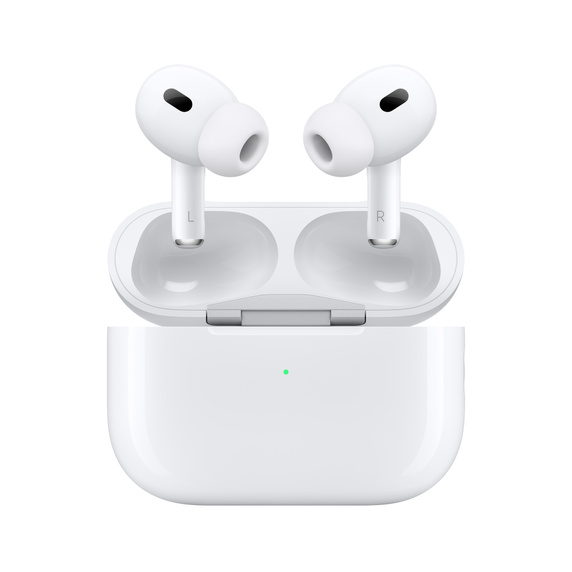
    AirPods are a more advanced, wireless version of EarPods. They come in their own Lightning Charging Case, and they’re ready to connect to your iPhone, iPad, Mac, or any product from the Apple Watch series. They’re really well designed with convenience in mind.

    For example, they’re off while they’re in their case, which also has a battery pack of its own and charges the AirPods. Once you remove them from the case, the buds will automatically connect to your iOS device via Bluetooth, and built-in optical sensors and motion accelerometers detect whether they’re in your ears, which helps the Apple H1 headphone chip decide where to route the audio and engage the microphone. 

    The battery life of the second generation AirPods offers up to five hours of listening time, while the Lighting Charging Case holds multiple charges for a total of 24 hours of listening time. If your wireless earbuds are empty, just pop them back into the case for 15 minutes, and they’ll recharge enough to provide additional three hours of listening time. 

    The list of features associated with this particular device is pretty extensive, which is why they’re priced above $100. However, if you happen to have an Apple Gift Card, you can use it to bring the price to a sub-$100 price range. 

    20W USB-C Power Adapter — $19

    Apple 20W USB-C Power Adapter — $19
    Source: Apple

    Source: Apple

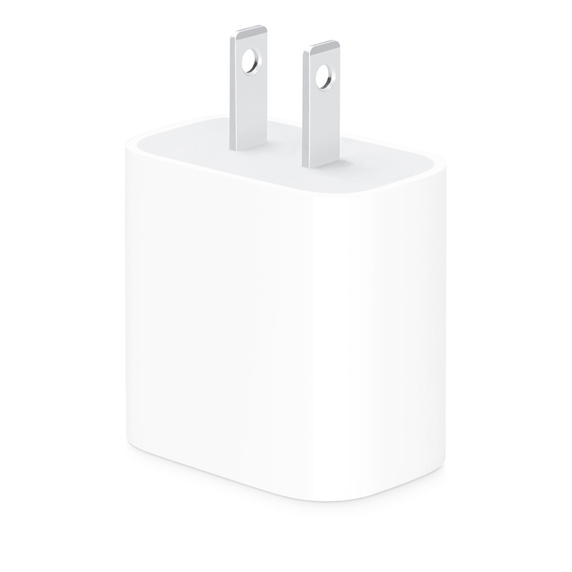
    Both your iPhone, iPad, and AirPods need to be charged from time to time, and a 20W USB-C Power Adapter can supply enough juice to charge your devices. The device offers fast and efficient charging wherever you are—all you need is access to a power outlet. 

    Compatibility-wise, the adapter is compatible with Apple iPhone 8 or later models for fast charging and supplies 50% battery in approx. 35 minutes for that particular model. You can pair it with the iPad Pro and iPad Air for optimum charging. Note that both models use USB-C charging ports which can take up to 100 watts and 30 watts, respectively. 

    The 20W USB-C Power Adapter is equipped with a USB-C port due to the port’s power delivery capabilities. However, to effectively charge your device, you’ll need a compatible cable. For example, iPhones and AirPods use Lightning, while iPads use USB-C ports. 

    It’s also worth noting that Apple has stopped supplying power adapters with its products. This makes the 20W USB-C Power Adapter a good, inexpensive purchase for yourself or your loved ones. However, if you want to charge your iPad Pro or a 14 inch MacBook Pro more efficiently, you should consider an Apple 96W USB-C Power Adapter, which is priced at $79. 

    Apple USB-C to Lightning Cable (1 m) — $19

    Source: Apple

    Apple USB-C to Lightning Cable allows you to connect your iPhone, or any other device with a Lightning port, to your USB-C or Thunderbolt 3 device, such as a Mac or a Macbook, for syncing and charging. Furthermore, the cable is also compatible with a wide selection of Apple Power Adapters that range from 18 to 96 watts for fast charging. 

    If a meter (or 3ft) long cable isn’t enough for you, we suggest buying a 2-meter-long version that’s priced at $29, and it’s much more efficient than wireless charging. 

    MagSafe Charger — $39

    Apple MagSafe Charger — $39

    Source: Apple

    If you don’t want to deal with all the charging cables, just get yourself a MagSafe Charger—Apple’s wireless charger that simply snaps to the back of your iPhone. Unlike most wireless chargers, which are stationary and pretty limiting, MagSafe Charger uses perfectly aligned magnets to attach itself to your iPhone 12 and later models. Not only that, but it also provides faster wireless charging by delivering up to 15W of power.

    With that said, the charger maintains compatibility with the Qi wireless charging standard, so it can be used to wirelessly charge older iPhone models, such as iPhone 8 or later, and AirPods models with a wireless charging case. However, the charger won’t stick to those particular models, as the magnetic alignment only works on iPhone 12 models and later. 

    MagSafe Duo Charger — $129

    Apple MagSafe Duo Charger — $129
    Source: Apple

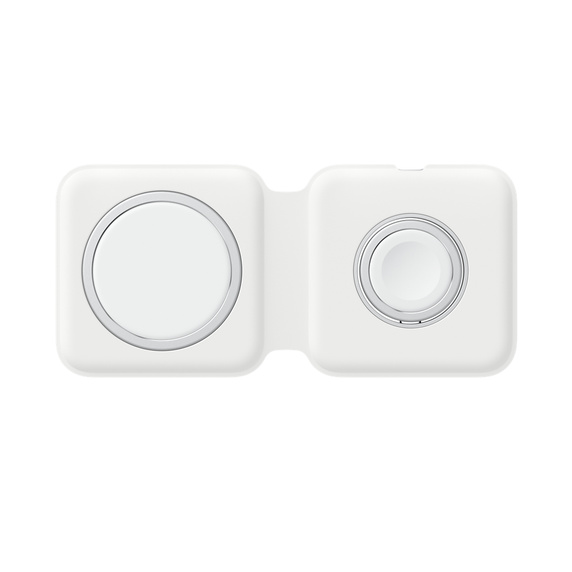
    Unfortunately, the MagSafe charger isn’t compatible with the Apple Watch series, so if you’re looking to charge your watch wirelessly, you should consider a MagSafe Duo Charger. Note that this is a stationary version of the charger, so it doesn’t actually offer magnetic alignment.

    However, the charger does support Qi charging standard, which makes it quite convenient for charging compatible iPhones, Apple Watches (including the Apple Watch Ultra series) AirPods with a wireless charging case, and just about any other Qi-certified device, including premium-range Android phones.

    Using this charger is as easy as placing your device on the charger. Once you’re done charging your devices, you can fold the charger neatly for storage or travel purposes. The product box contains the MagSafe Duo Charger and the aforementioned USB-C to Lightning Cable (1 m) but no power adapter. We recommend you pair it with the previously mentioned power adapter. 

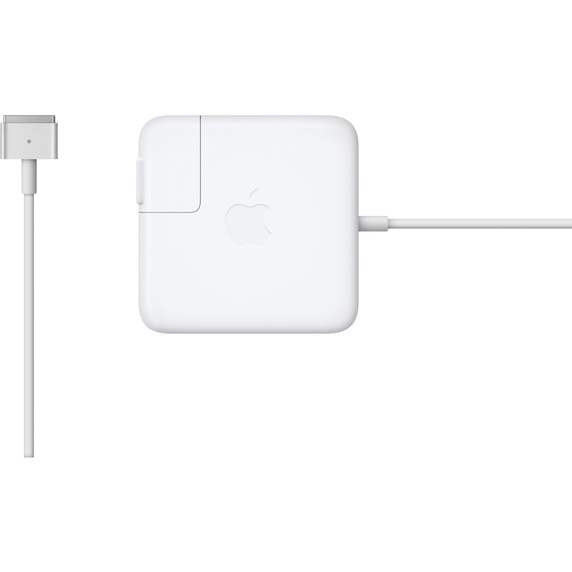
    Apple 85W MagSafe 2 Power Adapter (for MacBook Pro with Retina display) — $79

    Apple 85W MagSafe 2 Power Adapter (for MacBook Pro with Retina display) — $79
    Source: Apple

    The MagSafe is much more than just a convenient magnetic charging connector; it’s also incredibly safe. The magnetic DC connector ensures that the power cable connects to the system easily and securely. However, let’s say that someone trips on your MagSafe Charging Cable. The magnetic connector would disconnect harmlessly without sending your MacBook Pro flying across the room. 

    Even if you manage to grip the laptop and prevent it from falling, the potential damage to the charging port could cause a short, resulting in potentially irreparable damage. Apple 85W MagSafe 2 Power Adapter solves both potential problems while keeping your Macbook Pro with Retina display intact. An ounce of prevention is worth a pound of cure. 

    When the connection is secure, the LED located on the charging connector itself will light up: an orange light means that your MacBook is charging, while the green light signals a full charge. It’s capable of supplying power to the system while the MacBook is off, on, or in sleep mode, and it can also power the system if you use it without a battery installed. 

    Unfortunately, the Apple 85W MagSafe 2 Power Adapter is only compatible with a MacBook Pro with Retina display. If you have a 15- or 17-inch MacBook Pro, you’ll need to rely on Apple 85W MagSafe Power Adapter with the same price tag. 

    Apple Pencil (1st generation) — $99

    Apple Pencil (1st generation) — $99
    Source: Apple

    Unleash your creativity with an Apple Pencil, a product that expands the power of the iPad by opening new creative possibilities. It’s a stylus designed by Apple specifically for use on certain iPads, which allows users to interact with the device’s screen in a more precise and versatile manner, especially for drawing, sketching, or other kinds of creative work. 

    The Pencil is sensitive to pressure and produces a wide range of art effects, just like the traditional pencil does, but with pixel-perfect precision. It seamlessly integrates with compatible iPad models, including iPad Pro, iPad Air, and iPad Mini; it has built-in controls for additional functionality and palm rejection technology, which means that your hand or palm may easily rest on the iPad’s screen without interfering with the pencil’s input. 

    The product’s box contains the Apple Pencil, Lightning adapter, an Extra tip, and a USB-C to Apple Pencil adapter, which is needed to pair and charge with 10th-gen iPad. The Pencil’s successor, the Apple Pencil (second generation), is a bit more expensive, priced at $129, but offers the convenience of wireless charging. 

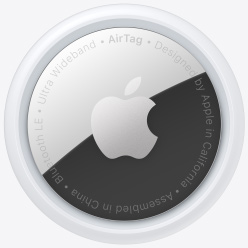
    Apple AirTags (4-pack) — $99

    Apple AirTags (4-pack) — $99
    Source: Apple

    These small, coin-shaped devices are designed to help users keep track of their personal belongings or locate them in case they’re misplayed. They’re designed to work in conjunction with the Find My app on iOS devices and rely on Bluetooth technology to connect with nearby Apple devices to help you locate lost or missing items. They’re a perfect gift idea for anyone who constantly misplaced their keys. 

    Apple Product Under $100 FAQs

    While the list of Apple products priced under $100 still contains things like Apple Watch Bands, they’re too broad aesthetically to cover, so we’ll change our focus on the most frequently asked questions about Apple products. 

    What is Apple number 1 product?

    Apple’s best-selling product is the iPhone, and since 2008, the iPhone has ben the company’s main source of revenue.

    What’s the cheapest thing from Apple?

    It really depends on whether you’re looking at flagship products or accessories. The cheapest iPhone you can possibly get in 2023 is the iPhone SE, priced at $429, followed by iPhone 13 Mini, priced at $599. The cheapest MacBook is the Air M2, priced at $1,119 at an Apple Store, followed by a 13-inch MacBook Pro, which costs $1,299.

    When it comes to accessories, the Lightning to 3.5 mm Headphone Jack Adapter, USB-C to 3.5 mm Headphone Jack Adapter, and USB-C to Apple Pencil Adapter are priced at $9 each, and the same applies to the MagSafe to MagSafe 2 Converter.

    For more tips and tricks regarding Apple Store, check out our 10 Store Secrets on Apple Discounts & Deals.

    Which iPhone is the cheapest now?

    The iPhone SE is currently the cheapest iPhone you can obtain from Apple, and it’s priced at $429. The box includes the product and the USB-C to Lightning Cable. Unfortunately, the device, just like many other Apple devices, ships without a power adapter. 

    How to get free Apple products?

    Apple products cost a lot of money, and even Apple Gift cards cost money. However, you can purchase those with Shop Your Way points. 

    Keep Saving on Apple Products

    Source: Shop Your Way

    This guide contains a handpicked selection of the most practical Apple products under $100 and products whose list price is higher than $100, but the use of Apple Gift Cards would bring the price down to a desirable range. Apple Gift Cards are a great way to ensure a discount for your purchase, and you can combine up to eight Apple Gift Cards in one purchase. 

    Considering that some cards come pre-loaded with $200, you can actually combine them to a total of $1,600. If you want to learn more, here are another 20 Ways to Spend Your Apple Gift Card. However, if you haven’t received a gift card from someone, you’ll be left to give one to yourself, and those cost money. Fortunately, there’s another solution: Shop Your Way, a reward platform that allows you to earn on everyday purchases and redeem your points on thousands of brands you love. You can also load your Shop Your Way card into the Apple Wallet for easier use and exchange the points for Apple Gift Cards, which you can use during your next Apple purchase. If you want to learn more about how to save money on Apple products, visit Shop Your Way.

  • Can I use a Walmart Gift Card For Gas? Tips to Savings at The Pump with Walmart Gift Card

    Can I use a Walmart Gift Card For Gas? Tips to Savings at The Pump with Walmart Gift Card

    Can I use a Walmart Gift Card for Gas? Yep. Walmart Gift Card Gas is a convenient and budget-friendly way to fuel up your vehicle.

    With the ever-changing landscape of retailers accepting these gift cards, it’s essential to stay informed about where you can use them for gas purchases.

    In this resource, we will delve into reasons why your gift card transactions might be declined, such as insufficient funds or technical issues with your card.

    Lastly, we will discuss how to activate your new Walmart gift card so that you can start enjoying its benefits right away. 

    Two Reasons for Declined Gift Card Transactions

    When attempting to use a Walmart gift card at the gas pump, you may encounter issues that result in your transaction being declined. 

    Here are several reasons why this might happen:

    1. Insufficient funds on your Walmart gift card

    The most common reason for a declined transaction is having insufficient funds on your Walmart gift card.

    To avoid this issue, it’s important to check the balance of your card prior to using it at the pump; either by calling the number on the back of the card or via Walmart’s Gift Card Balance Checker website.

    2. Technical issues with your card

    Sometimes, technical problems could be causing difficulties when trying to use a Walmart gift card for gas purchases.

    These issues may include damaged magnetic strips or unreadable barcodes.

    In such cases, visit the cashier inside the store who will be able to assist you further and provide information about any available solutions.

    Troubleshooting tips

    • If possible, try swiping or scanning your gift card again after waiting for a few seconds – sometimes temporary glitches resolve themselves quickly.
    • Clean off any dirt or debris from both sides of the magnetic strip before attempting another swipe.
    • If all else fails and there is still an issue with using your Walmart gift card contact Walmart’s customer service for further assistance.

    By being aware of the potential reasons for declined gift card transactions and taking appropriate steps to address them, you can ensure a seamless experience when getting fuel with your card.

    Remember that some Murphy gas stations have stopped accepting these cards as of January 1st, 2023, so it’s essential to verify whether the location you’re visiting still accepts this form of payment.

    If not, consider using your gift card at Sam’s Club locations, which continue to accept Walmart gift cards at their gas pumps.

    Key Takeaway:

    When using a Walmart gift card at the gas pump, it’s important to check your balance beforehand to avoid insufficient funds. Technical issues such as damaged magnetic strips or unreadable barcodes can also cause declined transactions, but troubleshooting tips like waiting a few seconds before swiping again or cleaning off debris can help resolve these problems.

    Using Your Gift Card for Gas Purchases

    Despite changes in policies at certain locations, you can still use a valid and funded Walmart gift card as payment when purchasing gasoline from participating retailers like Sam’s Club or other affiliated stores that haven’t discontinued this service.

    Finding Participating Retailers That Accept Your Gift Card

    To locate gas stations that accept Walmart gift cards for fuel purchases, start by checking the Walmart Store Finder.

    This tool allows you to search for nearby Walmart locations with gas stations. 

    Remember that not all Murphy gas stations accept Walmart gift cards anymore; it is always best to confirm with the cashier before filling up your tank.

    Tips on Using Your Gifted Balance Efficiently

    • Check your balance: Before heading out to purchase gas with your Walmart gift card, ensure there are sufficient funds available on the card. You can check your balance online through the Walmart website, or by calling the number provided on the back of your card.
    • Prioritize essential purchases: If you have limited funds available on your gift card, prioritize spending them on essentials such as groceries or household items first before allocating them towards fuel expenses.
    • Avoid peak hours: Gas prices tend to be higher during peak hours, such as early mornings and late afternoons. To get the most out of your gift card balance, consider filling up your tank during off-peak times when gas prices are generally lower.
    • Combine with other discounts: Keep an eye out for any ongoing promotions or discounts at participating retailers that accept Walmart gift cards for fuel purchases. Combining these offers can help you save even more on gasoline costs.

    From groceries to electronics, clothing to home goods – make the most of your gifted balance by exploring all that Walmart has to offer. 

    Key Takeaway:

    You can still use a valid and funded Walmart gift card as payment when purchasing gasoline from participating retailers like Sam’s Club or other affiliated stores that haven’t discontinued this service. To locate gas stations that accept Walmart gift cards for fuel purchases, start by checking the Walmart Store Finder. Remember to check your balance before heading out to purchase gas with your Walmart gift card and prioritize essential purchases first if you have limited funds available on your gift card.

    Activating Your New Walmart Gift Card

    Before using a newly acquired Walmart gift card for gas and other purchases, you must activate it.

    You can do this by calling the number provided on the back of your card or visiting Walmart’s website to complete activation.

    This ensures that your gift card is ready for use when needed.

    Steps to Activate Your Gift Card via Phone Call

    1. Find the toll-free number printed on the rear of your Walmart gift card.
    2. Dial the number and follow any automated prompts given.
    3. Provide the gift card’s unique code and other details such as your name, address, and phone number to the customer service representative.
    4. The customer service representative will confirm if your activation was successful before ending the call.

    Activating Your Gift Card Online

    1. Navigate to Walmart’s official gift cards page at: https://www.walmart.com/giftcards/activate
    2. Enter the required information, including your gift card number and PIN. These can be found on the back of your card or in an email sent to you if it was purchased online.
    3. Click “Activate” to submit your details and complete activation.

    Final tips

    To make the most of your Walmart gift card when purchasing gas, consider these helpful tips:

    • Keep track of your remaining balance and plan accordingly. Knowing how much is left on your card can help you avoid declined transactions or needing to use additional payment methods.
    • If possible, choose participating retailers like Sam’s Club that still accept Walmart gift cards for gas purchases. This will allow you to continue using this convenient method of payment without issue.
    • Remember that some Murphy gas stations no longer accept Walmart gift cards as of January 1st, 2023. Be prepared with an alternative form of payment if needed.

    There is no specific savings amount when using a Walmart gift card for gas purchases.

    However, the benefit of using a Walmart gift card is that it allows you to manage your fuel expenses and budget more effectively by preloading funds onto the card.z

    FAQs in Relation to Walmart Gift Card Gas

    Is a Walmart Gift Card Good for Gas?

    Yes, Walmart gift cards can be used to purchase gas at participating retailers such as Sam’s Club and some Murphy USA stations.

    However, it is essential to check with the specific retailer before attempting to use your gift card for gas purchases.

    How Does Walmart Gas Card Work?

    A Walmart Gas Card works similarly to other prepaid cards.

    You load funds onto the card either online or in-store, then use it like a debit or credit card at participating retailers that accept the gift card for fuel purchases.

    How Much Do You Save on Gas with a Walmart Gift Card?

    There is no specific savings amount when using a Walmart gift card for gas purchases.

    However, the benefit of using a Walmart gift card is that it allows you to manage your fuel expenses and budget more effectively by preloading funds onto the card.

    Conclusion

    In conclusion, Walmart gift cards can be used at participating gas stations such as Murphy and Sam’s Club.

    Ensure your card has enough funds and test for any issues prior to attempting a purchase.

    If you’re looking for more ways to save on gas purchases or other everyday expenses, consider signing up for Project through Shop Your Way.

    With Project, you can earn cashback rewards on qualifying purchases and redeem them towards future purchases. Start saving today!

    Sign up for Shop Your Way now

  • Walmart Gift Card Exchange: How To Maximize Your Savings

    Walmart Gift Card Exchange: How To Maximize Your Savings

    Walmart Gift Card Exchange offers a convenient way for shoppers to make the most of their unwanted gift cards.

    Walmart, the world’s largest retailer, has created a solution to assist customers in turning their unused gift cards from different stores into savings at Walmart

    Let’s discuss how to exchange your Walmart gift card as well as combine payment methods at Walmart stores, which allows you to use both cash and gift cards during checkout.

    Walmart Gift Card Exchange Basics and Limitations

    Gift cards are a popular choice for gift-giving, but sometimes you may end up with one that doesn’t suit your needs, which is why the ability to exchange the card comes in handy.

    In 2022, Walmart’s gift card policy changed which put a stop to the ability to exchange a gift card, even if you are the recipient.

    This rule does apply to the whole gift card range including Basic Walmart gift cards, Walmart Visa gift cards as well as Walmart Plus membership gift cards. 

    However, Walmart will exchange your gift card if there is a technical reason. If your card is damaged or non-functional, you can contact customer support and request a replacement.

    Furthermore, if your gift card has been stolen or lost, their customer service team can assist in replacing the card.

    Keep in mind that if you have received multiple Walmart eGift cards (sent to your email address), you can print these out, take them to your local Walmart store and have them exchanged for a physical gift card equal to the same value as the eGift cards.

    Inability to Directly Exchange a Gift Card for Cash

    The primary purpose of a retail voucher like the one offered by Walmart is to encourage spending within their store network. As such, exchanging these cards directly for cash isn’t an option provided by the retailer itself.

    However, there are alternative methods available through third-party services that allow users to trade their unwanted or unused gift cards for money. Be sure to ask upfront about any fees relating to exchanging the gift card for cash.

    Websites such as CardCash or Raise allow users to sell their gift cards for a percentage of the card’s value.

    It’s vital to examine and compare different platforms before choosing one, as these services typically impose fees and may not provide the full value of your gift card.

    Restrictions on Where You Can Use a Walmart Gift Card

    A Walmart gift card is designed specifically for purchases within the company’s retail ecosystem.

    This means they are accepted only at Walmart-branded stores, including Supercenters, Neighborhood Markets, Sam’s Clubs (membership required), and online platforms such as the Walmart website.

    Unfortunately, this also means that using them in other retailers’ establishments is not possible.

    • Accepted: Walmart Supercenters & Neighborhood Markets
    • Accepted: Sam’s Club (with membership)
    • Accepted: walmart.com
    • Not Accepted: All other retailers outside of the above list

    Returning Unused Gift Cards to Walmart

    According to their exchange policy, it is not possible to return any unused gift cards to Walmart.

    Keep in mind that Walmart gift cards do not come with an expiry date, therefore you can keep it for as long as you need, which would come in handy when buying birthday or Christmas gifts.

    Walmart does offer a partial refund in cash if the remaining balance on your gift card provided that the balance on the card is low.

    This option is only available in certain states (for example, California, Montana, Texas, or Colorado). Be sure to check with Walmart customer service.

     Extra Tips for Maximizing Gift Card Usage & Savings

    When it comes to making the most of your gift cards and rewards points, a little strategy can go a long way.

    In this section, we’ll explore practical tips on maximizing savings when using or exchanging retail-specific reward points such as those offered by companies like Amazon, Target, and Best Buy.

    We’ll also discuss ways to save money even after redeeming them.

    Comparing Deals Across Major Retailer Platforms

    The first step in maximizing your gift card usage is comparing deals across different retailer platforms. This will help you identify which store offers the best value for your specific needs.

    Explore other options to maximize your savings; investigate potential offers that may be more advantageous than what is available at Walmart.

    • Check weekly ads: Many retailers release their weekly ads online, showcasing current promotions and discounts. Compare these offers with what’s available at Walmart stores to ensure maximum savings.
    • Browse deal forums: Online communities such as Slickdeals or DealNews often share information about ongoing sales events at various retailers – use these resources to stay informed about potential bargains.
    • Use price comparison tools: Websites like Google Shopping or PriceGrabber can help you compare prices across multiple retailers, ensuring that you’re getting the best deal possible.

    Utilizing Discounts Before Redemption

    To further maximize your savings, consider utilizing discounts and promotions before redeeming your gift cards.

    Many retailers offer coupons or special deals that can be applied to purchases made with gift cards – take advantage of these opportunities to stretch your rewards even further.

    • Coupon websites: Sites like RetailMeNot and Coupons.com provide a wealth of discount codes for various stores – search for applicable offers before making a purchase with your gift card.
    • Email newsletters: Sign up for retailer email newsletters to receive exclusive promotions and sales alerts directly in your inbox. This way, you’ll always be aware of potential savings opportunities when using your gift cards.
    • Leverage cashback apps: Use cashback apps such as Rakuten or Ibotta in conjunction with your digital Walmart gift card (or other retailer-specific cards) to earn additional rebates on eligible purchases. These extra earnings can then be used towards future shopping trips.

    Incorporating these strategies into your shopping routine will not only help you make the most out of unwanted gift cards but also ensure maximum savings when redeeming them at Walmart stores or any other participating retailers.

    Earn Points on Everything You Purchase

    Shop Your Way is an all-in-one rewards platform making it easy to earn reward points on everyday items. You can then redeem them on thousands of your favorite brands.

    Additionally, points earned can be accumulated and used in conjunction with the SYW® app. Each earned point is redeemable for gift cards from renowned brands like Amazon, Walmart, Dunkin Donuts, American Airlines, and many others. Learn more.

    FAQs in Relation to Walmart Gift Card Exchange

    How Does Walmart Gift Card Exchange Work?

    Walmart does not have a direct gift card exchange program. However, you can use your Walmart gift cards to purchase items in-store or online and then return the items for cash or store credit. Alternatively, you can sell your gift card on third-party websites like CardCash or Raise.

    Can You Return or Exchange Gift Cards at Walmart?

    You cannot directly return or exchange a purchased Walmart Gift Card for another type of Gift Card at the store. However, if there’s an issue with the activation of your Gift Card, contact their customer support team by calling 1-800-925-6278 (1-800-WALMART).

    Can You Exchange a Walmart Gift Card for a Different Gift Card?

    No, exchanging one type of retail-specific (e.g., Starbucks) Gift Card into another (e.g., Amazon) is not possible within any physical location of the retailer itself including Walmart stores; however, some online marketplaces facilitate this process through buying/selling between users who want different brands’ vouchers/cards instead.

    Conclusion

    It is not possible to return or exchange your gift card to Walmart as stated by their official returns and exchange policies. Contact Walmart customer service to see if you are eligible for a cash refund on the low balance of your gift card, provided that you live in a qualifying state.

    If you’re looking for even more ways to save money while shopping, check out Shop Your Way’s partnership with thousands of brands you love.By signing up through our exclusive link here, you can earn points on purchases that can be redeemed for discounts on future buys.

  • How to Add Gift Cards to Apple Wallet: A 6 Step Guide

    How to Add Gift Cards to Apple Wallet: A 6 Step Guide

    While most people have a pretty good understanding of how Apple Pay works, not everyone differentiates it from the Apple Wallet app or is familiar with the latter’s ability to store more than just your credit cards. The app can also store gift cards, reward cards, and coupons from your favorite third-party brand. 

    By scanning your gift cards and storing them in your Apple Wallet, you can have them only a few taps away. However, the real question is, “How to add gift cards to Apple Wallet?” In this article, we’ll provide you with an answer to that particular question and any related questions about Apple Wallet you might have. 

    how to add gift cards to apple wallet

    What is Apple Wallet?

    Apple Wallet is one of those apps that most Apple users have installed on their iPhones and Apple Watches but most seldom use, despite its growing importance within the Apple ecosystem. Despite what many users believe, the Apple Wallet app is not a novelty. 

    The app originated in 2012 when Apple launched Wallet’s predecessor app, called Apple Passbook. Designed as a wallet app that was previously found on premium-class Nokia phones, the Passbook was a digital counterpart to a physical passbook, allowing users to store valuable information. 

    Similar to the Wallet app on Nokia’s Symbian OS, the world simply hasn’t put too much faith in the Passbook app because both businesses and people just weren’t ready to go digital, at least at the time of their respective launch. However, times have changed, and the developed world has gone digital, leaving fridge notes and agenda books behind.

    In 2014, Apple launched Apple Pay, which supported all the major credit and debit cards like American Express, Visa, and MasterCard. Apple Pay, paired with Apple’s contactless payment technology in its devices, allowed credit card providers to digitize without having to develop their own respective apps. 

    When these technologies and apps were integrated with the Apple Passbook app, the users finally understood the convenience these apps and technologies provided. The following year, Apple Passbook officially became Apple Wallet and its use spread like wildfire. 

    However, the users weren’t the only ones who understood the convenience these apps brought; retailers did as well. The number of retailers that support Apple Pay and Apple Wallet has been increasing steadily since 2015, and the Wallet app now lets you store coupons, boarding passes, personal IDs, tickets, and even credit cards, all within a single app. 

    Apple Wallet is found on all Apple products that support Apple Pay, including iPhones, iPads, and Apple Watches, but the app also works with Mac computers.

    How to Set Up Apple Wallet

    Using Apple Wallet is pretty straightforward; you just use it as you would your typical card holder or a pocket wallet. The app is designed as a digital cardholder for your digital payment, gift, and membership cards; it’s not a payment processor. As a result, it doesn’t require any particular setup apart from adding cards. 

    On the other hand, Apple Pay is a payment service by Apple which allows Apple users to make payments either in person, in iOS apps, in-store, or on the web. It basically digitizes and replaces a physical credit or debit card chip and PIN transaction for use at contactless terminals. The digitized cards are stored in the Wallet app, easily accessible to you during your next transaction.

    To set up Apple Wallet and Apple Pay, simply enter the Settings app, scroll down, tap on “Wallet & Apple Pay,” and then tap on “Add card.” Follow the instructions on the screen. Once you’ve added your card, scroll to the “Double-Click Side Button” toggle to enable the option; it’s “Double-Click Home Button” on iPhone 9 and other models.

    If you scroll further down, you can change your default payment card to the card you previously added. Please note that the first payment card you added to the Wallet will be set as a default card—you can easily change it later. Now that’s all setup, your cards are stored in the Wallet app, and you can use it when you’re out and about. 

    To pay for goods and services at contactless payment terminals that support Apple Pay, simply double-click your side (or Home) button, and glance at your iPhone to authenticate with Face ID. Alternatively, you can use Touch ID or a passcode. Once you’re authenticated, hold the top of your phone near the contactless reader until the payment is processed and approved. 

    The same process applies to Apple Watches; double-click the side button, hold the display of your Apple Watch near the contactless reader, and wait for a gentle tap that signals payment approval. 

    Benefits of Adding Gift Cards to Apple Wallet

    Integration with Apple Pay is among the largest benefits of adding your physical cards (including gift cards)  to Apple Wallet. However, there are certain benefits of having digitized, easily accessible cards on one’s person that most people don’t even consider. 

    Apple Pay Integration

    Integration with Apple Pay allows you to streamline your payment process by simply bringing your iPhone or Apple Watch near the contactless terminal. However, Apple Wallet also keeps track of your payment transactions; open the Wallet app and tap on the desired card to see the listings.

    The Wallet app does so much more. It will also update your card information automatically when you’re issued a new card after the old one has expired. This feature has to be supported by your bank, and it usually takes about 24 hours for an update to occur. Apart from that, you can also store and use your boarding passes directly from the Wallet app.

    Decreased Physical Clutter

    Most of us put our phones, wallet, AirPods, and all the other everyday-carry items in our pockets or purses when going out. Wallets, especially ones used to store cards and cash, can be quite bulky and take up a lot of space.

    Apple Wallet is a digital substitute for your physical wallet, and you can store everything, even cash (in the form of Apple Cash) in your Apple Wallet app. This immediately decreases physical clutter in your pockets, purses, or backpacks. 

    Increases Security

    Approximately one in five Americans have lost their wallet or had a wallet stolen. Carrying physical gift cards, IDs, and credit or debit cards poses a massive security risk these days due to the possibility of loss or theft. However, the Wallet app solves this by digitizing your cards and IDs, allowing you to keep the physical copies safe at home while you’re out. 

    Admittedly, you can also lose your iPhone or have it stolen, but you can easily retrieve it using the “Find My” app. Additionally, the Wallet app is Apple’s first-party app, which means that it adheres to the strictest safety standards the company implements. Even if the nefarious party that got a hold of your iPhone tries using Apple Pay, they still have to authenticate through Face ID, Touch ID, or a passcode.

    In the unfortunate case in which you can’t retrieve your phone, your cards are still backed up in your Apple ID account. You’ll instantly gain access to them when you get a new phone and enter your Apple account credentials. However, you need to make sure that you enable the Wallet app to sync with the iCloud service. 

    Ease of Use

    Setting up your digital wallet and adding gift cards and payment methods allows you to access them on any device that’s linked to your Apple ID. This is convenient if you make a quick run to the convenience store around the corner, but if you accidentally leave your phone at home, your cards are linked to your Apple Watch, and you can still use them. 

    Payment methods aside, you can simply show the gift card’s QR code or barcode to the cashier, and they can scan it with a barcode scanner directly from your screen. That way, you don’t have to deal with physical gift cards and coupons. 

    The Wallet also allows you to keep track of your gift card balance. Just open the App Store on your Apple device, and tap “Purchases” at the bottom of the screen, where you’ll find a list of your available gift cards and balances. 

    6 Step Guide on How to Add Gift Cards to Apple Wallet

    Gift cards, whether Apple Gift Cards or from a third-party gift card or coupon provider, are a great way to secure discounts for your favorite brands and save some cash in the process. With the Wallet app, you don’t have to juggle with physical gift cards; just enter the gift card information into the Wallet, and you’re good to go. Here’s how you can do it: 

    Step 1: Open the Wallet App

    apple wallet
    Apple wallet icon on Apple iPhone iOS

    The first step towards adding a gift card, or a payment card for that matter, an iTunes gift card or a store gift card, is to open the Wallet app. You can typically do this by tapping the Wallet app icon on the home screen of your Apple device (including iPhone), or by double-clicking the Apple Wallet button.

    Apple Watch users can swipe up on the watch dial screen to open the app screen and then select the Wallet app icon. However, adding gift cards is much easier on your iPhone, as it has a bigger screen. 

    Step 2: Tap the Plus Icon

    Once the Wallet app opens, you’ll see a complete list of your cards, including payment and various membership and gift cards. Given that we’re adding a new card, just tap the Plus icon at the top right corner of the screen on both your iPhone and Apple Watch screen. Tapping the Plus icon will open a “Add to Wallet” screen with a choice of options for adding various types of cards. 

    Step 3: Select “Add a Gift Card”

    Among the available options is “Add a Gift Card,” which is specifically designed to scan and add a selection of gift cards by supported providers to your Apple Wallet. Select this option, and the app will guide you through the rest of the process for adding a gift card or a coupon. 

    Step 4: Scan Card Details

    Once you select “Add a Gift Card,” the app will ask you to scan the card or enter card details manually. If you have the gift card at hand, you can scan the front and the back of the gift card, and the app will process everything for you. 

    However, you can also add this card information manually by entering the gift card number, name, and amount. If you’re adding a credit or debit card, you’ll be asked to provide the card’s CVV number located at the back of the card.

    Step 5: Verify Card Information

    After entering the card information, you’ll be prompted to verify it, thus ensuring that you entered the gift card details correctly. If the card requires a billing address, and some cards do, you can tap on the “Add Billing Address” button, which will subsequently take you to the news screen in which you can enter the billing address info. Once you enter and verify all the information, you’ll be brought to a confirmation screen. 

    Step 6: Confirm Card Information

    Once you added the gift or payment card details, entered additional information if necessary, and verified all the details, you can further review and confirm the gift card. You’ll also be able to see the name listed on the card (yours or the person who gifted you the card), as well as the amount on the gift card. If all the information looks correct, just tap “Confirm,” and you’ve successfully added a gift card to the Wallet app. 

    Optional Step 1: Add a Cardholder Name

    You can add a cardholder name to any card you added to the Wallet if you’re so inclined. For example, you might have your spouse’s credit card info on your phone for emergencies, so you might want to assign an appropriate cardholder name to avoid mix-ups. 

    Assigning a cardholder name means that the name on the card will appear instead of your name. To do so, select the “Add a Cardholder Name” option, and enter the cardholder name. After you’ve entered the cardholder name, just confirm the information, and proceed with adding the card as in the previously described steps. 

    Optional Step 2: Add a Photo of the Card

    By taking a photo of the gift card’s details, you can more easily identify the gift card without having to open its details from within the Wallet app. Just take the photo using your camera, open the Wallet app, select the appropriate card, and select “Add a Photo of the Gift Card.” 

    Select the “Choose from Library” option, which will open the photos on your Apple device, where you can select the appropriate photo. After selecting the photo, you can confirm the card details and continue with the process as usual until you’re finished with adding a card to your Wallet app.

    Optional Step 3: Check Everything Out

    After you’ve added the gift card or any other card, be it payment or ID, you can check the Wallet to see if they’re there. In the case of gift cards, open the Wallet App by tapping the Wallet app icon on your home screen. Once the app opens, select “Gift Cards,” which will open the screen with all the gift cards you’ve added to the Wallet app. 

    How to Add a Gift Card Provided by a Third-Party App

    Some gift cards or coupon providers, such as Shop Your Way, require that you add a gift card to your Wallet from within their own Apple Store app. Adding these is rather simple; just download the third-party app, open it, and follow the instructions in the app to sign into your customer account. 

    Once that’s done, look for a gift card or a coupon in the app, where you’ll find an “Add to Wallet” button alongside the card or coupon. Just select the option, and the card or coupon will be loaded into your Wallet app. If you don’t see an “Add to Wallet” button, you’ll have to enter the card information manually. 

    It always pays to check out the apps that are supported by Apple Wallet. You can do this under the “Support” section on the App Store page. 

    Shop Your Way

    Source: Shop Your Way

    You can add gift cards to your Wallet either through the app itself, through the Settings app options, or through the brand’s third-party apps that support Apple Pay. For example, you can use your Shop Your Way card during your everyday purchases to earn points, which you can then exchange for an Apple Gift Card.

    You can load your Shop Your Way card into the Apple Wallet and then exchange your points within the company’s app to add an Apple Gift Card to your Apple Wallet and save money during your new Apple purchase. 

    Common Questions about How To Add Gifts to Apple Wallet

    How do I add a gift cards to Apple Wallet on my iPhone?

    It is not possible to directly add gift cards to Apple Wallet on an iPhone. Apple Wallet is primarily designed to store digital versions of credit cards, debit cards, boarding passes, tickets, and loyalty cards.

    See above for details on how to add the digital version of your gift card to your iPhone’s Apple Wallet.

    What cards can be added to Apple Wallet?

    Apple Wallet, also known as Wallet, allows you to store various types of cards digitally on your Apple device. Here are the types of cards that can be added to Apple Wallet:

    1. Credit and debit cards: You can add your credit and debit cards from participating banks to Apple Wallet. This lets you make payments using Apple Pay at supported merchants.

    2. Transit cards: In certain regions, you can add transit cards to Apple Wallet. These cards can be used for contactless payments when using public transportation.

    3. Boarding passes: You can store digital boarding passes for flights in Apple Wallet. This eliminates the need to carry a physical ticket as you can simply scan the digital pass at the airport.

    4. Event tickets: Apple Wallet allows you to store digital tickets for events like concerts, movies, and sports events. This makes it easy to access and use your tickets without needing a physical copy.

    6. Store and loyalty cards: You can add digital versions of store and loyalty cards to Apple Wallet. This lets you conveniently access and use these cards at participating stores or earn rewards without carrying physical cards.

    It’s important to remember that the availability of these features can vary based on your location and the services offered by banks, transportation authorities, event organizers, and retailers. To get the most accurate and up-to-date information on supported cards and features, it’s recommended to visit Apple’s official website or refer to the latest iOS documentation.

  • 10 Unspoken Store Secrets on Apple Discounts & Deals

    10 Unspoken Store Secrets on Apple Discounts & Deals

    Finding Apple discounts are hard to come by. Apple makes some of the most coveted tech on the market that’s used by professionals, creatives, and those seeking entertainment. However, its products often come with a premium price, which places Apple products, such as the iPhone or a MacBook, at the top of the price tag range.

    Apple products are some of the best and priciest in the consumer electronics market, so it’s quite reasonable that the only thing that can overshadow the joy of playing and enjoying your new Apple device is the hole it left in your budget. Fortunately, there are lots of ways to shave off at least a fraction of the price from your new Apple purchase or to at least have something extra thrown in for the retail price of your new device. 

    The Irresistible Charm of Apple Products

    Most people value Apple’s products for their design excellence and brand value. The brand is often associated with luxury, quality, and exclusivity, and the company’s logo on consumer electronics often conveys a certain prestige that adds to the allure of Apple products. Every iPhone is a smartphone at its core, but not every smartphone is an iPhone. In fact, there are just a few rare models that can compare to Apple’s flagship.

    Each and every Apple product is renowned for its elegance, simplicity, and user-friendliness, emphasizing the recognizable minimalistic design aesthetics paired with high-quality, premium materials that make the brand recognizable. 

    However, from a tech enthusiast’s perspective, Apple offers much more than just aesthetic design excellence and brand value. The company has been at the forefront of technological innovation from its inception; its products are designed to work seamlessly together (the famous Apple ecosystem), and Apple’s control over both hardware and software ensures quality and reliability. 

    Hardware and software integration is a particularly important feature of Apple products since it allows better optimization for smoother performance and enables a high level of security and privacy that’s often associated with the brand and used as one of its main selling points. To top everything off, with an intuitive and easy-to-use interface, you get a line of products that’s accessible to a wider range of users. 

    Taking all the glitz and glamor of Apple’s unique blend of design and technology into account, the fundamental question becomes, “How much is it going to cost me?”. Well, premium quality and innovation come at a price, which brings us to the distinctive pricing strategy Apple employs.

    Dive into the World of Apple’s Pricing Strategy

    Apple products are known for their premium pricing, but why is that? Exclusivity and quality are two key factors in their pricing strategy. By maintaining high prices, Apple creates a sense of luxury and desirability for its products. 

    Apple’s pricing strategy revolves around price skimming, the behavioral psychology of its customers, and brand loyalty. 

    Apple distinguishes itself from its competitors by using a price-skimming pricing strategy instead of basing the price on manufacturing costs and associated expenses. This means that the company prices its products higher on the price scale, justifying the high price with the innovation, features, benefits, and value its products provide. 

    However, instead of reducing the price of its products over time, like with typical price-skimming strategies, Apple is quite successful at relying on the behavioral psychology of its customers to maintain the product price throughout nearly the entire lifecycle of the product, only reducing the price when the next-gen product releases. 

    Here is how it works: the retail price of Apple 14 is $799, while Apple 14 Pro goes for $999. The priciest option is the Apple 14 Pro Max, which is priced at $1,099. Admittedly, while there are some notable differences between the phones, they’re basically run by pretty much the same hardware, with only a marginal difference in performance. 

    So, the iPhone 14 Pro is a mere decoy for iPhone 14 Pro Max. The consumers are tricked into comparing the two iPhones and eventually buying the pricier option, believing they got more value for their money, but that isn’t necessarily true. This is particularly true in our example; apart from a bigger screen and slightly longer battery life, the two phones perform identically.

    And lastly, there’s Apple’s walled garden—the company’s vertical integration of hardware, software, and services, which ensures that it always has a loyal base of consumers, increasing its brand loyalty and, with it, the number of consumers interested in buying the next Apple gadget that seamlessly integrates with the one they already have. This business model works and for a very good reason. 

    The control over hardware and software, along with vertical integration and established, nearly guaranteed brand loyalty from millions of its customers, give the company complete control over pricing. Apple managed to create both a demand and a supply for its products, and it gets to dictate the price as a result. 

    How to Save Money with Apple Discounts

    Apple doesn’t actually offer annual sales or discounts such as Black Friday deals in its Apple stores, but it does make some kind of favorable offer on most big retail days during the year. In this section, we’ll discuss ways to save money on Apple products. Using your Apple Gift Card is applicable to almost all of them, so it pays to keep one on you if possible. 

    1. Apple Product Release Cycles: Timing Is Everything

    Knowing when and where to buy can save you quite a bit of money. Apple adheres to a product release schedule, which directly affects the prices of current and older generations of its products. Every time a new iPhone launches, the prices of the previous generations usually drop. In fact, many retailers will slash the prices of the previous generation of products to clear stores for new inventory. 

    The prices of the former models may begin plummeting even months before the next generation is released, and you can save up to $200 on last year’s products. Check out MacRumors Buyer’s Guide; they’ll tell you when’s the right time to buy a new Apple product. 

    Knowing where to shop is equally important. Apple charges a premium, and if you go to your local Apple Store or Apple’s online retail, you’re more than likely to pay a very high asking price for an iPhone or an Apple Watch. Fortunately, you’ll find Apple’s products on the shelves of almost all bigger retailers that sell consumer electronics.

    Retailers such as Target, Walmart, or Best Buy will often offer their own deals on Apple products, especially around Black Friday, Cyber Monday, or some other retail holiday, which is a great opportunity to save up to a couple of hundred dollars. For example, Costco has exclusive sales deals for its members, which can help you save money on products such as iPads or AirPods. 

    MacBook Pro deals are a bit harder to find, but Costco and Best Buy often offer student and educator discounts in August, around the start of a new school year, and you might end up getting a $200 discount on your new MacBook Pro. So, start tracking product releases and make sure to compare prices at different retailers to find the best deal. 

    2. Haggle for Apple Discounts at an Apple Store

    Apple’s pricing strategy implies that the company won’t price match with other retailers to keep you as a customer—they’re charging a premium, so they’re making money regardless of where you buy your device. However, while Apple doesn’t price match, they’re willing to haggle over the price a little. 

    So, if you happen to find an Apple product at one of the aforementioned major retailers that are selling for cheaper than at the Apple Store, show the Apple associate the lower price tag. The associate will then offer 10% off their retail price in an attempt to match the competitor’s price, with the term “attempt” being key.

    What really happens is that Apple associates will offer 10% off their own price list; they won’t match the competitor’s price and then slash it by an additional 10% like some other retailers. They’ll also rarely haggle with Costco or Amazon prices. 

    While this isn’t the best discount option, it’s still great if you’re adamant about getting your Apple products from an official, brick-and-mortar Apple Store. So, don’t be afraid to haggle for a discount.

    3. Shop for Apple Products on Black Friday and Cyber Monday

    Apple doesn’t have Black Friday sales in a way other retailers do, but the company usually does offer some sale deals. Usually, Apple will give customers up to $200 in Apple Gift Cards with the purchase of certain highly-priced items, such as a Mac computer, MacBook Air, iPad Pro, or similar products. 

    If you’re planning a large Apple purchase, consider waiting for retail holidays such as Black Friday. Some of Apple’s products, such as Beats headphones, may actually get a price discount during Black Friday or other retail dates. You can combine this with a Gift Card to slash the price further (if applicable).

    4. Trade-In Your Old Apple Devices for Discounts

    If you have a previous generation iPhone gathering dust or some other smartphone, you can use Apple’s trade-in program to get credits towards your new Apple purchase. If you turn your older device in, you can take the credit in the form of an Apple Gift Card.

    This is also a great opportunity to help combat the growing e-waste, a growing type of waste in the modern world and a major concern due to its environmental impact and rapid growth of electronic consumption worldwide. Instead of tossing your old or broken device into a trash bin, where it would inevitably find its way to a landfill, you can give it to Apple and get a discount on your new Apple purchase. 

    If the device you turned in is fully functional, with or without minor scuff marks, Apple will refurbish the device and offer it through its Certified Refurbished product line. This is a good way of giving new life to used electronics. 

    As for the discount you get, it depends on the old device you trade-in. The iPhone 7 can get you up to a $40 discount, while iPhone 13 Pro Max may get you up to $650 off your new Apple purchase. What makes this deal even sweeter is the fact that you can turn in almost any ICT (Information and Communication Technology) device.

    That means that the device you’re turning in doesn’t have to be an old iPhone or an Apple product; you can turn in any laptop, desktop, Apple Watch, or an older model iPad. The company will even give you a discount if you turn in an older Android smartphone. 

    It might be worthwhile to get a few quotes from other retailers that feature a trade-in program before trading in at Apple. You may get a high value by trading in through your mobile carrier, GameStop, or Amazon, though the prices across these retailers will vary. 

    Ultimately, you may end up getting the most value out of your old phone by selling it yourself. So, dig out your old devices and weigh your options. 

    5. Explore the Refurbished Section on Apple’s Website

    Electronic technician showing a modern smartphone with a broken body in a repair shop

    If you don’t need the latest Apple product from the desired product line, you can buy Apple’s Certified Refurbished product. This includes Macs, iPads, iPhones, Watches, HomePods, AppleTVs, etc. Please note that refurbished products aren’t available at Apple’s physical locations. Instead, they’re available exclusively through Apple’s Certified Refurbished online store. 

    Refurbished devices are used by Apple devices, but don’t let that discourage you. Apple takes its product from its trade-in program, and the company’s team of expert techs inspects the devices, cleans them, and installs a new battery and a shell (housing). All of the replaced parts are genuine Apple parts and not some off-spec replacement parts made by third-party manufacturers. 

    The devices are refurbished directly by Apple, and though they’re refurbished, they don’t actually perform, look, or feel like used devices. They ship for free and come in a brand-new box, accompanied by all the typical accessories you’d get if you were buying a brand-new Apple product. 

    On top of that, you’ll get a one-year warranty and the option to buy AppleCare. We strongly suggest exploring the refurbished section of Apple’s website, it’s a great way to get a 15% off on your Apple product, and it’s the most appealing option if you’re a collector, as you may gain access to a specific Certified Refurbished model that Apple discontinued. 

    6. Use Student Discounts and Apple Gift Cards

    Apple offers a back-to-school promotion to college students each year, though the promotion details may change by year. In 2020, Apple’s Mac, MacBook, and iPad products got discounted by up to $300 and often came with a free set of AirPods that were otherwise priced at approximately $160 at the time. 

    It’s worth noting that the discount isn’t percentage-based. Instead, it’s different for each Apple product. Apple’s Shop of College web portal discounts the items automatically, and it doesn’t actually showcase the item’s original price. However, you’ll need to provide a college ID or some other proof of attendance. 

    It’s worth noting that Apple also offers different Back to School discounts each year, so last year’s items might not receive a price cut this year. You can check the pricing on Apple’s Shop for College web portal. 

    7. Use Teacher Discounts or Apple’s Educational Pricing

    pleased showing thumbs up young female teacher holding present sitting at desk with school tools in classroom

    Apple’s education discount isn’t limited to students only; the discount is available to faculty, staff members, and homeschool teachers of all grade levels. All are eligible for Macs, MacBooks, iPads, Apple Music service, and AppleCare+.

    When it comes to discounts, the same rules that apply to students also apply to faculty members. However, to unlock the Education Store and education pricing, you’ll likely have to provide some proof of your educational affiliation. A teacher ID badge or a pay stub should suffice.  

    8. Apply Your Tax Exemptions to Reduce Sales Tax

    If you’re working for tax-exempt institutions, such as a school, a charity, or a place of worship, and you’re buying an Apple product for your workplace, you can apply for a tax exemption from sales tax. You’ll need to provide the necessary paperwork that proves your tax-exempt status; the good thing about this exemption is that it can be added to any other discount you receive. 

    9. Military and Veterans Discounts

    Apple offers exclusive discounts to military personnel and veterans, making it easier than ever to save on their top-notch products.

    Military staff, including veterans, are eligible for a 10% military discount on certain Apple products and services—and the discount extends to family members residing in the same household. Those eligible can access the discount through Apple.com or in physical Apple locations, though you’ll have to verify your status. 

    Verification for online purchases can be done through ID.me, while purchases in physical locations require that you bring your Military ID with you to access the discount. It’s also worth checking the online price of particular products before purchasing them at the physical locations because some users reported receiving only a 6% discount while buying at Apple Store.

    10. Government Employee Discount

    Just like the education discount for educators, you can buy discounted Apple products if you’re a government employee, though you’ll find different discounts if you’re buying products for personal use, as opposed to buying products for your government agency. 

    Whatever the case may be, you’ll still have to provide your government ID to the Apple employer or through an online verification service to get the appropriate discount. As for what discount you can expect, things typically vary the same way student and educator discounts do. You also might be able to apply for an Apple Gift Card for a bigger discount. 

    Source: Shop Your Way

    Getting a discount and saving money on an Apple product purchase isn’t all that difficult if you know when and where to shop and what discounts to look for. Black Friday, Cyber Monday, and other retail holidays won’t get you discounts at Apple, but you’ll likely receive a gift card for every major purpose, so if you’re aiming for a Black Friday discount, check out at major retailers.

    Buying last-gen or refurbished devices is a good way to not just save money but help save the planet as well. And lastly, you can see if you’re eligible for a discount under student, educator, military, or government discount options, to get your Apple device for less. Lastly, you can get Apple Gift Cards by using Shop Your Way. 

    Shop Your Way is an all-in-one reward platform that allows you to earn points on everyday purchases. These points can be redeemed on thousands of brands you like and love, including Apple, allowing you to get a discount on your next Apple purchase. 

  • How Sears Rewards was powered by Shop Your Way: An Overview of the Shop Your Way Loyalty Program

    How Sears Rewards was powered by Shop Your Way: An Overview of the Shop Your Way Loyalty Program

    In this article, we will explore the history and evolution of Shop Your Way Rewards, Sears Rewards, and the modern day vision of a “everyday and everywhere” loyalty program. We will also look at the benefits and features of the program, including how it works, how to earn and redeem rewards points, and the partnerships that Shop Your Way and Sears has established to offer additional rewards to members.

    History of Sears and Shop Your Way

    Sears, one of America’s oldest and most iconic department stores, was at the forefront of American retail for much of its 132-year history. Founded in 1893, Sears has been a trusted destination for families looking for quality goods and services at affordable prices. Its early mail-order and distribution innovations made it the Amazon of the Gilded Age. For years, Sears was the largest retailer in the United States, positioning brick-and-mortar stores in prime retail locations across the country. As the retail industry evolved, Sears continued to innovate behind the scenes in the 90’s and emerged as an agent of change driving digital transformation. 

    In 2010 the organization unveiled Shop Your Way as a loyalty program for Sears customers which would become one of the most innovative technological advancements introduced in the industry. 

    The Shop Your Way program allows customers to earn rewards points on their purchases at Sears, Kmart, Partners, Affiliates, and other participating retailers. These points can then be redeemed for a variety of rewards, including gift cards, and merchandise. Shop Your Way led the charge in personalization, pricing, and offers delivering a suite of product features and capabilities to drive real-time content to their members and for their Partners. It was no surprise that within the first few years the program quickly grew to serve over 100 million members!

    Shop Your Way: the modern day vision of an everyday loyalty program

    The Shop Your Way program is a free loyalty program that began by allowing members to earn reward points on their purchases at Sears, Kmart, and other participating retailers. Shop Your Way quickly built an extensive network of Partners, Affiliates, and Redemption options for their members. As a Shop Your Way Member, additional benefits emerged delivering opportunities to earn on everyday purchases like gas, groceries, local dining, travel, and even scaled across hundreds of millions of products on sears.com marketplace.

    Shop Your Way Points

    Shop Your Way points are earned on qualifying purchases made at participating merchants. The points Members earn can vary across each participating merchant but they add up quickly. In the last 3 years, Shop Your Way Members have redeemed more than $1.3B in points alone! Shop Your Way continues to introduce new places for Members to earn nearly every month as well within their Shop Your Way App.

    Shop Your Way Rewards: Redemption

    Shop Your Way Rewards can be redeemed on major brand gift cards, participating merchants merchandise, home services, and much more. After a Partnership with Raise was created in 2018, Shop Your Way expanded their redemption options to include a robust gift card selection for members. The strategic partnership was formed based on direct member feedback and the continued vision of building a modernized loyalty program to serve members at scale. 

    Partnerships

    Shop Your Way has continued to deliver strategic partnerships to empower their vision of an everyday and everywhere loyalty program. These partnerships were initially established within internal Sears businesses such as Craftsman, Kmart, Home Services, Lands End, and Sears. However, Shop Your Way continued and continues to bring on new Partners and Affiliates across core shopping verticals such as Grocery, Dining, Travel, Automotive, Entertainment, and more. Shop Your Way is in the process of delivering a new partnership in 2023 to Members where they will be able to earn rewards across 17,000+ new online merchants!

    Sears | Shop Your Way Rewards FAQs

    How do I earn Sears Rewards points?

    When shopping online, just log on before or during checkout. You’ll get CASHBACK in points on every eligible item you purchase. (Note: some products sold by our Marketplace sellers do not offer CASHBACK in points.) In store, just show your Shop Your Way membership number or phone number to the associate when you check out.

    How do I redeem my Sears Rewards points?

    When checking out online, you’ll be asked if you’d like to apply your eligible points to the purchase.

    In store, just ask the associate to apply your eligible points to your purchase.

    Be sure to provide your member PIN for store purchases, which can be found in the Manage My Account section of your online profile. You can visit www.shopyourway.com for additional FAQ’s and or to get in touch with a live customer support representative

    Points do not qualify towards the free shipping minimum. Points cannot be redeemed on select clearance, grocery, drugs, gift cards, shipping and delivery fees or taxes.

    Does Sears still have a rewards program?

    Yes! Shop Your Way powers the Sears rewards program and membership is 100% free. Make sure your account is registered and up to date on www.shopyourway.com today!

    How many Sears points equal a dollar?

    Shop Your Way Members shopping at Sears earn a minimum of 1% CASHBACK in points on every $1 you spend. Plus, Members receive bonus offers in-store and online to earn even more points. 

    How do I get bonus offers for Sears?

    When shopping online, log into your account at before or during checkout.

    You will also receive member exclusive offers via Shop Your Way email, if you’ve opted in for email promotions.